How to Store Medical Records and Insurance Cards on iPhone
Keep health papers and insurance cards in one place only you can open.
Published November 14, 2026

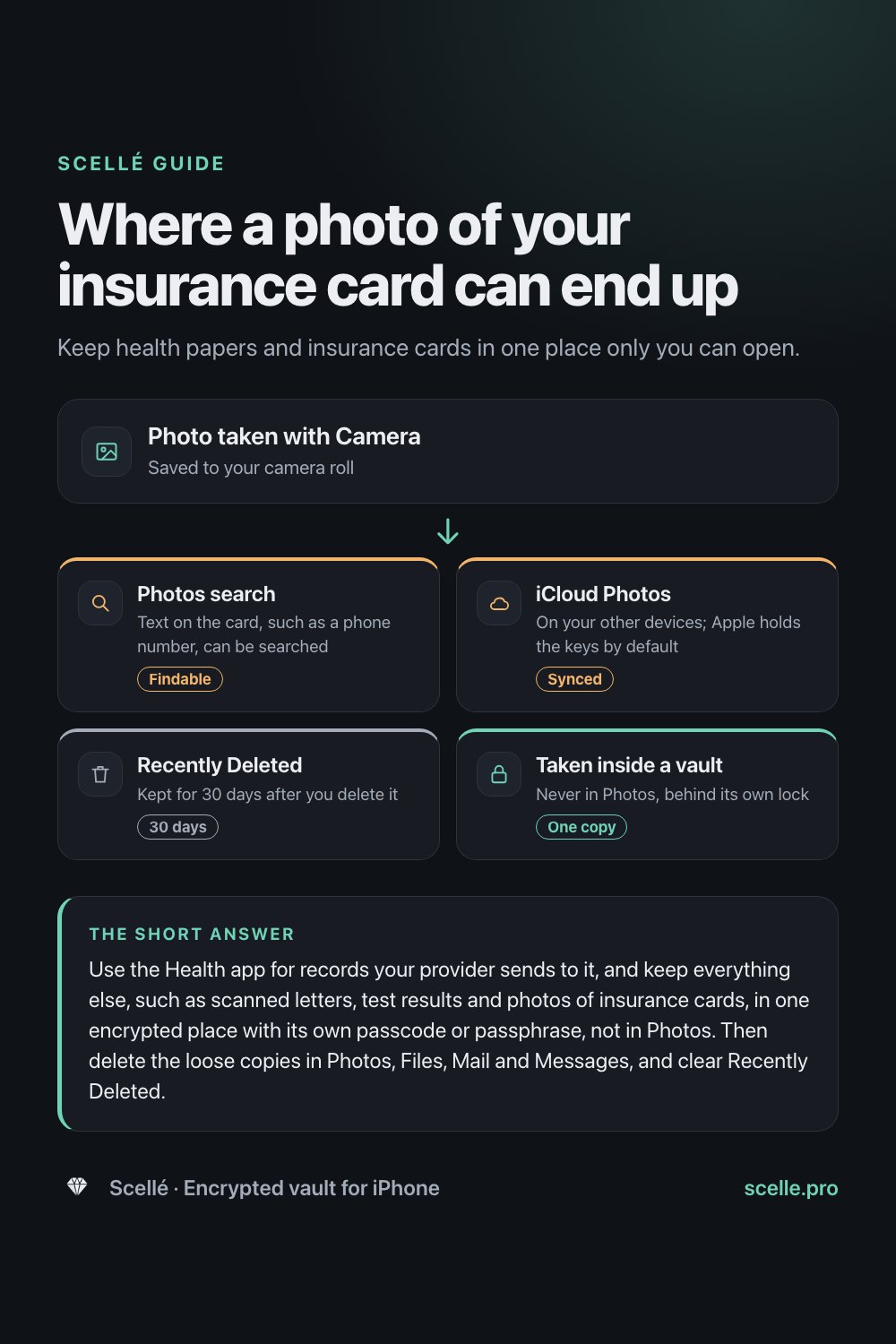
Use the Health app for records your provider sends to it, and keep everything else, such as scanned letters, test results and photos of insurance cards, in one encrypted place with its own passcode or passphrase, not in Photos. Then delete the loose copies in Photos, Files, Mail and Messages, and clear Recently Deleted.
What counts as a medical record on your phone
Most people never set out to keep medical records on their iPhone. They just pile up. A lab result arrives as a PDF in Mail, a discharge letter gets photographed in a waiting room, a referral sits in a Messages thread, and there is a picture of your insurance card somewhere between your vacation photos. Each one is a medical record in the everyday sense: it says something about your health, and often carries your date of birth, member ID or a diagnosis.
This guide covers where these files end up on an iPhone, what the built-in Health app does well, and how to keep the rest in one place only you can open.
Where medical files end up on an iPhone
Every app that touches a document keeps its own copy, and each copy is protected differently.
| Where the copy is | What opens it | Worth knowing |
|---|---|---|
| Health app, Health Records | Your iPhone passcode | Holds records your provider sends; Health data is end-to-end encrypted in iCloud |
| Photos (a picture of a card or letter) | Your iPhone passcode | Search can find text in it; syncs if iCloud Photos is on |
| Files app, Downloads | Your iPhone passcode | PDFs from portals often land here, sometimes in iCloud Drive |
| Mail or Messages attachment | Your iPhone passcode | Stays in the thread, on the server and with the other person |
| A vault app with its own lock | Its own passcode or passphrase | Only as private as its encryption; see how to check below |
The pattern is clear: most of these places open with the same passcode a partner, a child or a repair shop may already know. Apple's iCloud security overview also explains that under the default setting, Apple holds the keys to iCloud Photos and iCloud Drive so it can help you recover them. If you want only your own devices to hold the keys, read how on-device encryption works.
What the Health app does well, and what it doesn't
If your doctor or hospital supports it, the Health app can download your records directly from them: allergies, medications, immunizations, lab results and more.
- Open the Health app and tap Browse.
- Scroll down to Health Records and tap a category, such as Lab Results or Medications, or tap the name of your provider.
- To stop keeping a provider's records on the phone, tap Summary, tap your picture or initials, tap Health Records, tap the provider, then Remove Account.
The good parts
The records come straight from the source and are organized for you. Apple lists Health data among the iCloud categories that are end-to-end encrypted even under standard data protection, so Apple does not hold the keys to that synced copy.
The gaps
If nobody else knows your passcode and all your records come through Health, that may be enough. A separate encrypted place helps when someone else unlocks your phone, when you manage a family member's papers, or when records arrive as scans and PDFs. The gaps:
- It opens with your passcode. Anyone who can unlock your iPhone can browse your health records.
- Only connected providers. A letter from a specialist who isn't connected, a dental X-ray, a paper vaccination card or a PDF from an insurer does not go in.
- No cards or scans. There is no place in Health Records for a photo of your insurance card.
Worth knowing
Apple says first responders and others can view your Medical ID even while your iPhone is locked. Put in it only what you want a stranger to read in an emergency, such as allergies, medications and an emergency contact, not your full history or insurance numbers.
How to get copies of your records
In the US, HHS says HIPAA gives you the right to see and get copies of your health information. According to HHS:
- In most cases you can get the copy the way you want it, such as by email.
- Your doctor normally has up to 30 days to provide it, and often does it sooner.
- You can be charged a reasonable fee, but you cannot be refused because you haven't paid a medical bill.
A patient portal is usually the fastest route. Outside the US, rules differ, so ask your provider.
Insurance cards: the copy you carry around
An insurance card is the medical document you show most often, so it is the one most likely to be photographed in a hurry. That photo sits in your camera roll next to everything else. Apple's guide to Photos search says you can search for text in photos, such as a phone number, so the member ID and phone number printed on your card are easy to find for anyone browsing your library. If iCloud Photos is on, the picture is also on every device signed in to your Apple Account.
Deleting the photo is not the end of it either: Apple keeps deleted photos in Recently Deleted for 30 days, so clear that album too. A better habit is to take the picture inside a vault, so it never reaches Photos at all, and keep the physical card in your wallet as the original. Your insurer may also offer a digital card in its own app; ask them.
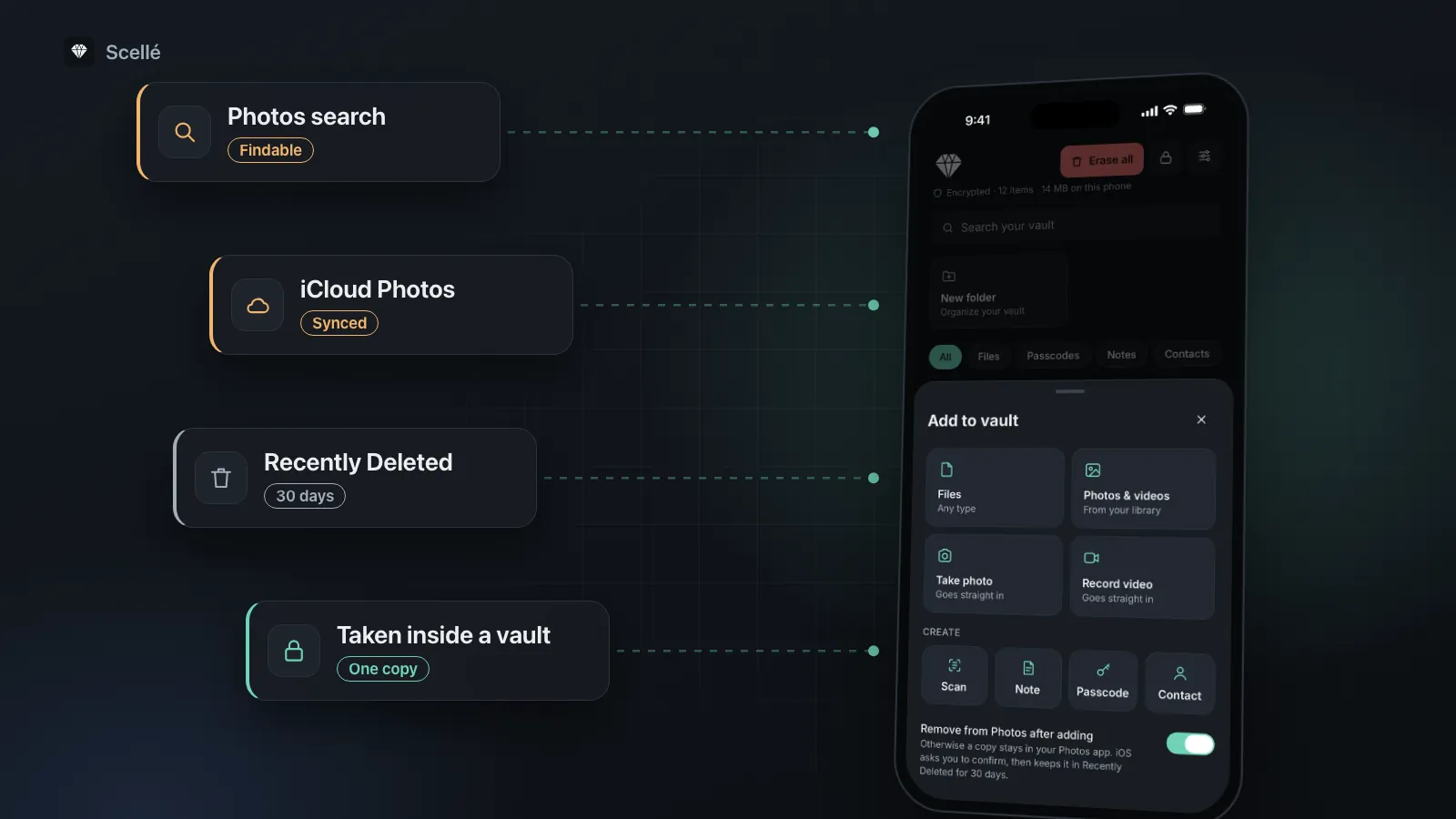
- Photos searchText on the card, such as a phone number, can be searchedFindable
- iCloud PhotosOn your other devices; Apple holds the keys by defaultSynced
- Recently DeletedKept for 30 days after you delete it30 days
- Taken inside a vaultNever in Photos, behind its own lockOne copy
How to set up one private medical folder
The goal is one working copy of each document, named so you can find it, behind a lock that isn't your iPhone passcode. The steps use Scellé, but the order works with any encrypted vault.
- Make a folder per person, then one per area inside it where it helps: Insurance, Lab results, Letters, Prescriptions, Imaging.
- Save emailed results: in Mail, touch and hold the attachment, choose Save to Files, then note where it landed.
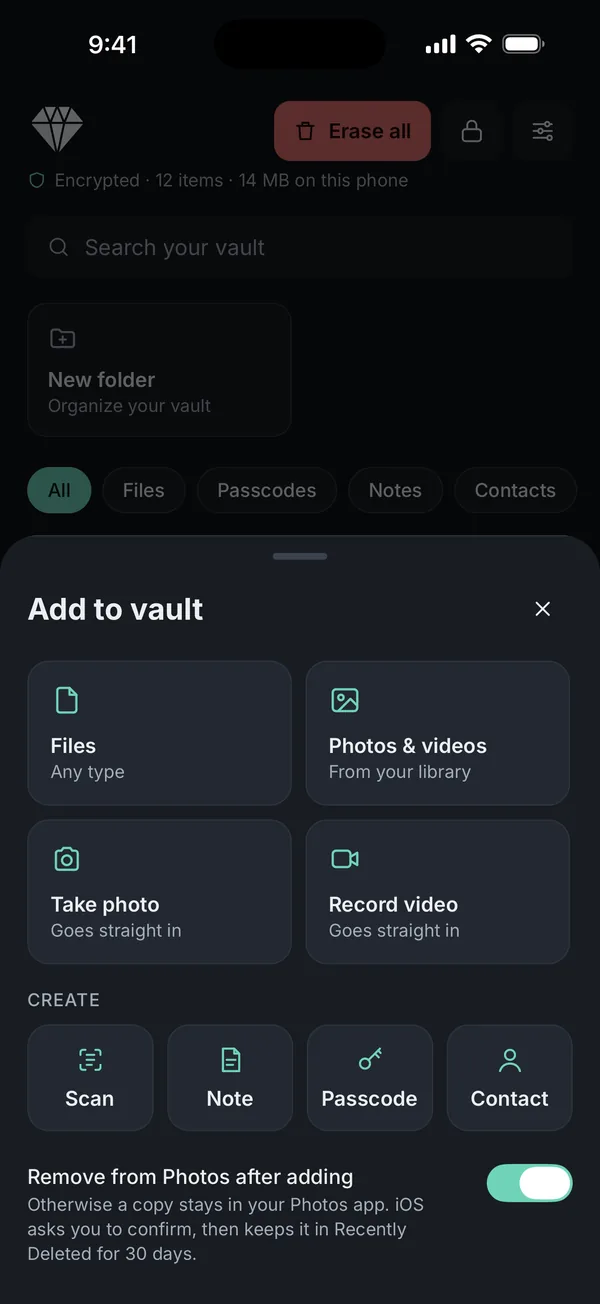
- In Scellé, tap +, then Files, and pick the PDFs from Files and Downloads. Each one is encrypted on the phone.
- For paper letters, tap +, then Scan. The pages become one PDF inside the vault and never go to Photos.
- For your insurance card, tap +, then Take photo, so the picture goes straight in.
- Rename each file with the date first and a short description, such as 2026-10 blood test.pdf or Insurance card front.jpg.
- Delete the loose copies from Files, Mail, Messages and Photos, then clear Recently Deleted in Photos.
Mistakes that leave health details behind
- The portal download. PDFs from patient portals land in Downloads. Move them in and delete the copy there.
- Old message threads. Search Mail and Messages for words like "results", "referral" and your insurer's name.
- Other devices. If iCloud Photos or iCloud Drive is on, a file you delete on the iPhone may already be on your Mac or iPad. Check there too.
- A vault that only hides. Some vault apps show a PIN screen over files that are not encrypted. How to check whether a vault app really encrypts explains what to look for.
- No backup. Scans of paper letters only exist where you saved them. Keep a copy off the phone.
Where Scellé fits
Scellé is an encrypted vault for iPhone. It opens with a passphrase that is separate from your iPhone passcode, with optional Face ID. There is no account and nothing is uploaded. For medical documents, that means:
- Any file type. PDFs from portals, scanned letters, photos of cards and X-ray images all go in.
- Encrypted on the phone. Each file gets its own random key before it is saved, and its name, folder and date are encrypted too (more on the encryption page).
- Straight in, never in Photos. Scan and Take photo save into the vault without touching the camera roll. When you import from your library, Scellé can remove the originals from Photos; iOS asks you to confirm and keeps them in Recently Deleted for 30 days.
- Sharing one file. Export hands the share sheet a temporary decrypted copy, removed when the sheet closes. What you send stays in the app you used.
- Off-phone backup. An encrypted backup file of the whole vault, protected by a backup password, can be saved to Files, iCloud Drive or a computer.
What it does not do: it does not connect to providers like the Health app, does not read text inside PDFs (search works on file names), and does not sync to an iPad or Mac. Deleting a file in Scellé removes it for good. If you forget the passphrase and lose the 24-word recovery key, nobody can open the files, so read what happens if you forget a vault passphrase before you rely on it. Scellé is $1.49 per week or $49.99 once (US prices; local price shown in the app).
Frequently asked questions
Is the Health app a safe place for medical records?
For records your provider sends to it, yes, it is a good place. Apple lists Health data among the iCloud categories that are end-to-end encrypted even under standard data protection. The app itself opens with your iPhone passcode, though, so anyone who knows the passcode can browse it. It also cannot hold a scanned letter, a PDF or a photo of a card.
Should I keep a photo of my insurance card on my phone?
A phone copy is handy at a pharmacy or a new clinic, and some insurers' apps show a digital card too. Keep the photo out of your camera roll, though. Photos search can find text inside pictures, and with iCloud Photos on, the picture also sits on your other devices. A vault keeps one copy behind its own lock.
How do I get copies of my medical records?
Ask your doctor's office or use its patient portal. In the US, HHS says HIPAA gives you the right to see and get copies of your health information, usually in the form you ask for, such as email. The office normally has up to 30 days and may charge a reasonable fee, but cannot refuse because you owe a bill.
Can I keep a family member's medical documents on my phone?
Many caregivers do, with that person's agreement. Give each person their own folder, name files with their name and the date, and keep the same rules: one copy, behind a lock, with a backup off the phone. When you send a copy to a clinic, delete it from your Sent mail or Messages afterward if you don't need it.
What happens to my medical files if I lose my iPhone?
If they were in an encrypted vault with its own passphrase, a finder cannot open them. Getting them back depends on having a copy off the phone. Records from your provider can usually be downloaded again from the patient portal, but scans of paper letters and cards only exist where you saved them, so keep a backup.
Summary
- Let the Health app hold records your provider sends, and keep Medical ID to what a stranger may read.
- Keep everything else, including insurance card photos, in one encrypted place with its own lock, not in Photos.
- Delete loose copies in Files, Mail, Messages and Photos, and clear Recently Deleted.
- Keep a backup off the phone, and keep paper originals you may need to show.
For identity documents, see how to store passport and ID scans, and for receipts and returns, how to store tax documents.
Sources
- iPhone User Guide: View health records in Health on iPhone
- Apple Support: iCloud data security overview (Health data is end-to-end encrypted under standard data protection)
- iPhone User Guide: Fill out your Health Details (Medical ID can be viewed while iPhone is locked)
- iPhone User Guide: Search for photos and videos (search finds text in photos)
- Apple Support: Delete photos on your iPhone or iPad (Recently Deleted keeps items for 30 days)
- HHS: Get it. Check it. Use it. Your right to access your health information