Sealed
English

XChaCha20-Poly1305Argon2idNo account

Out of sight isn't out of reach.Sealed locks it with a key only you hold.

Hiding a photo keeps it out of view. Sealed encrypts it, on your iPhone, with a key built from your passphrase. Nothing is uploaded and there's no account. Not even we can look.

Get Sealed on the App Store
  • Encrypted on your phone
  • Never uploaded
  • Out of iCloud backups
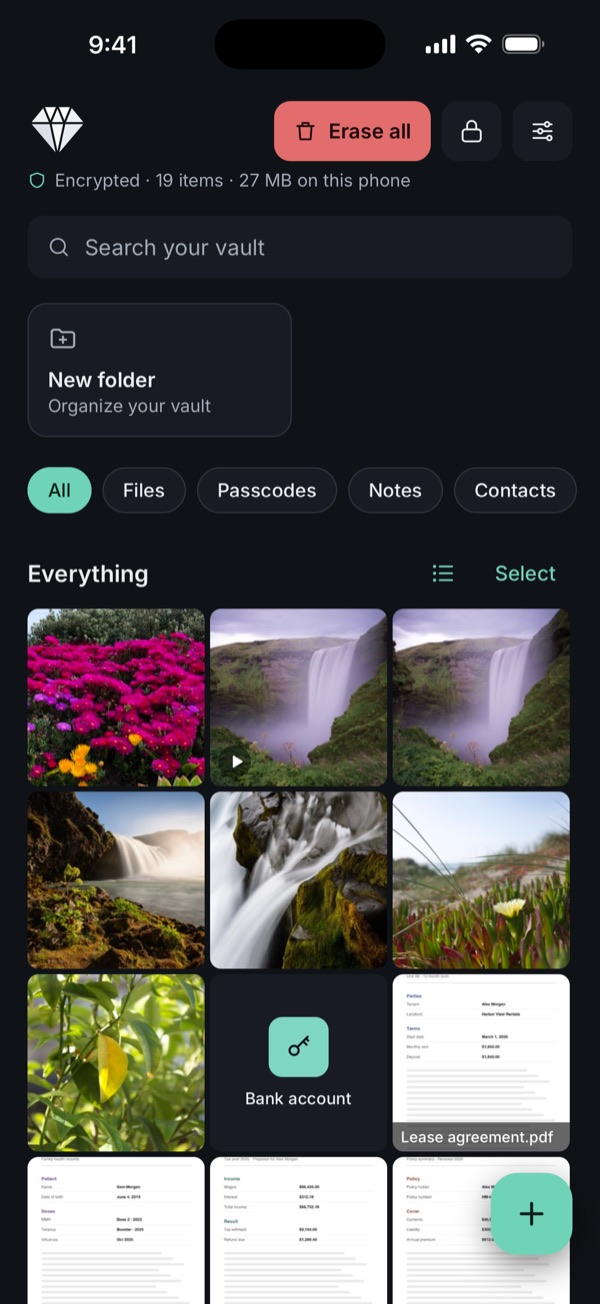
The Sealed vault: a grid of encrypted photos, documents and a passcode on an iPhone

No account

Nothing uploaded

No back door

Why encryption

Hidden isn't the same as protected

Most ways to "hide" a photo only move it out of view. The file itself stays readable to anyone, or any app, that gets past the screen in front of it.

Hidden

The photo is still an ordinary photo. It stays in your library, syncs to your other devices when iCloud Photos is on, and opens for anyone who knows your iPhone passcode.

Sealed

The file is encrypted before it's saved, its name too. Without your passphrase it's unreadable noise, on this phone and on any copy of its files. Your iPhone passcode doesn't open it.

Features

Everything private, in one place

One vault for the photos, IDs, documents, passwords and notes you'd rather nobody stumbled on.

Keep anything

  • Add photos and videos from your library, or take photos and record videos straight into the vault. They never touch your camera roll.
  • Scan paper documents to PDF, straight into the vault.
  • Import any file from the Files app: PDFs, IDs, contracts, records.
  • See everything as a grid of previews, encrypted too, and swipe between files.
  • Organise into folders, search by name, rename and move.
  • Export one file, a selection or a whole folder when you need to send something.
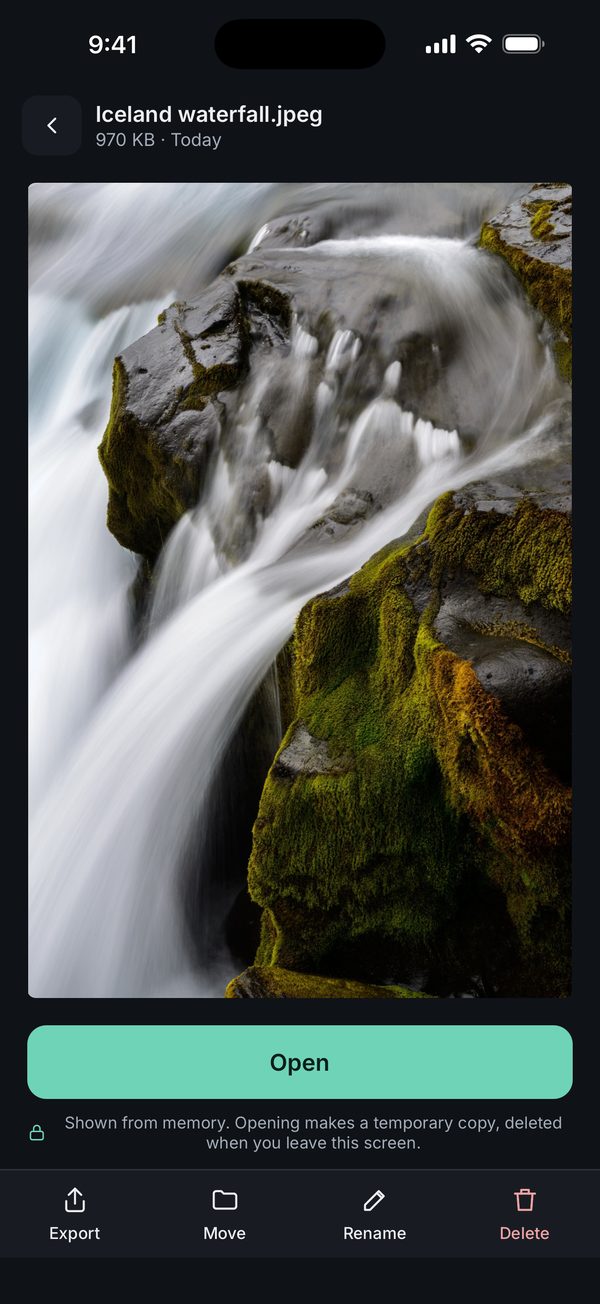
A photo open inside Sealed

Your way back in

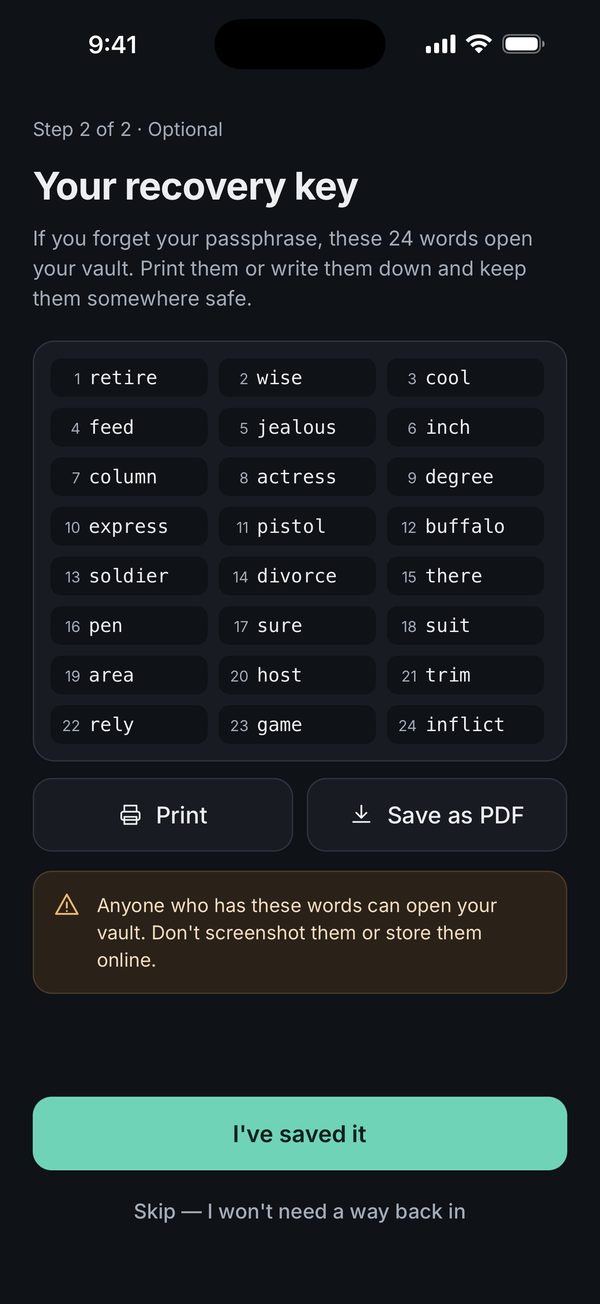
  • A printable 24-word recovery key, if you want one. Keep it somewhere safe and offline.
  • Unlock with Face ID or Touch ID, if you turn it on.
  • Save the whole vault as one encrypted backup file, locked with a backup password you choose. Keep it where you like and restore it on a new iPhone.
  • No reset button and no back door. Lose both your passphrase and your recovery key, and no one can open the vault. That's the point.
Sealed showing a 24-word recovery key

More than files

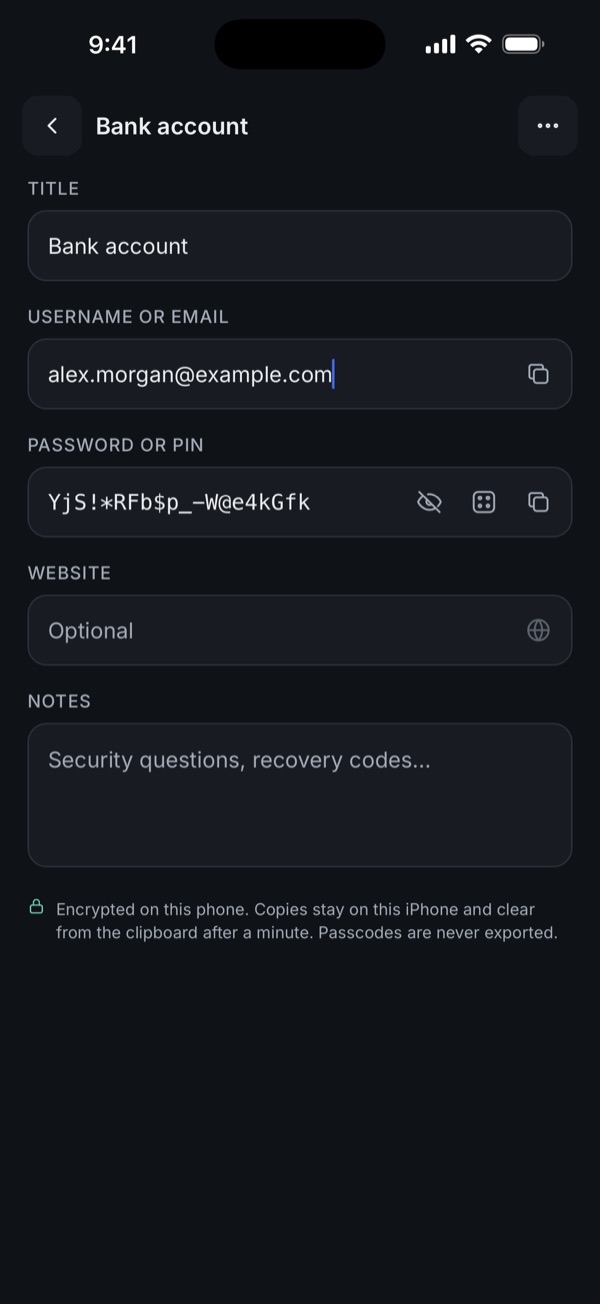
  • Passcodes: logins, PINs and passwords, with a strong-password generator.
  • Copied passwords stay on this iPhone and clear from the clipboard after a minute.
  • Private notes that save as you type.
  • Private contacts, kept out of the Contacts app.
A passcode for a bank account saved in Sealed

When someone else has your phone

  • A second vault, if you want one: a different passphrase opens a separate vault with only what you put in it. The lock screen never shows there are two.
  • Unlock with a pattern you draw, instead of typing your passphrase.
  • Give the home-screen icon a plain look, like a calculator or a notepad.
  • Screenshots and screen recordings of Sealed come out black.
Drawing a Z pattern on the Sealed lock screen opens the vault

How it works

Three steps, no account

  1. Choose a passphrase

    A few words you'll remember. It never leaves your phone; Sealed turns it into the key that locks your vault.

  2. Add your files

    Photos, videos and documents are encrypted the moment they come in. Remove the originals from Photos if you like.

  3. Lock and leave

    Sealed locks when you leave the app. The keys are cleared from memory until you unlock again.

Security model

Built so we can't look

Sealed doesn't ask you to trust us with your files. It's designed so we never have them.

// Sealed 1.1, on your iPhone
files       XChaCha20-Poly1305, a random key per file
chunks      64 KiB, each one authenticated
passphrase  Argon2id · 3 passes · 64 MiB
device key  Keychain, this iPhone only
backups     vault excluded from iCloud
backup file only if you make one · Argon2id, your password
server      none
analytics   none
  • Each file has its own random key, locked by your vault's key, which is locked by your passphrase.
  • File names, folder names and dates are encrypted with the file. The files on disk have random names.
  • The vault's key also depends on a secret in this iPhone's Keychain, so copied vault files can't be attacked on another device.

The full security model →

If it happens

Someone has your phone.Here's what they run into.

A lock screen is only as good as what's behind it.

  • It's already lockedSealed locks as soon as you leave it, or after the delay you chose.
  • Your passcode doesn't open itSealed has its own passphrase, separate from your iPhone passcode.
  • Guessing gets slowAfter 5 wrong tries, each one waits longer: 30 seconds, then a minute, up to an hour.
  • Nothing in the app switcherIt shows the Sealed logo, never your files. Screenshots come out black.
  • Copies are uselessFiles pulled off the phone are encrypted and tied to this iPhone's Keychain.
  • One step to eraseErase all destroys the keys first, then every file.

Compare

How Sealed compares

The Hidden album is free and built in, and fine for keeping a photo out of casual view. Other vault apps add cloud backup and extras. Here's where each one fits, point by point, including when the other choice is better.

Pricing

Pay once, or week by week

Weekly

$1.49 / week

Renews automatically until you cancel in your App Store settings.

US prices. Your local price is shown in the app. If a plan ends, your files stay readable and exportable.

Android

On Android? Hear when it's ready

Sealed is iPhone-only for now. Leave your email and we'll write once, when Sealed for Android is out.

One email when it launches, then we delete your address. No newsletter, never shared. Privacy.

Questions

Good to know

What if I forget my passphrase?

Use your 24-word recovery key on the lock screen of the same iPhone. If you didn't make one, or lost it, your files can't be recovered by anyone, including us. We never had the keys.

Can you see my files?

No. Your files are encrypted on your phone and never sent to us or to any cloud. There's nothing on our side to look at.

Do I need an account?

No. There's no sign-up, no email and no password to give us. Open the app and choose a passphrase.

Does my iPhone passcode open Sealed?

No. Sealed has its own passphrase, separate from your iPhone passcode, so someone who knows or watched you type your passcode still can't get in. You can add Face ID or Touch ID for quick unlocking.

What can I keep in Sealed?

Photos and videos from your library or taken straight into the vault, documents you scan, and any file from the Files app: PDFs, ID scans, contracts, records. Also passwords and PINs, private notes and contacts. Organise them into folders and search by name.

Is Sealed the same as the iPhone Hidden album?

No. The Hidden album moves photos out of view; they stay ordinary photos in your library and sync with iCloud Photos. Sealed encrypts each file on the phone with a key only your passphrase opens. Full comparison.

Does anything go to iCloud or a server?

No. There's no server and no cloud copy, and the vault is kept out of iCloud backups. If you make an encrypted backup file, it goes only where you save it. The only outside service is Apple and RevenueCat confirming your purchase, which never includes anything from the vault.

What happens if my plan ends?

Your files stay readable and exportable. Only adding new files needs an active plan.

What happens when I get a new phone?

Save an encrypted backup file in Sealed, locked with a backup password you choose. Move it to the new iPhone with AirDrop, the Files app or a computer, then restore it in Sealed there. See Support for the steps.

Is Sealed on Android?

Not yet. Sealed is iPhone-only for now. Leave your email and we'll tell you once when the Android version is out.

Your files. Only yours.

Encrypted on your iPhone. Never uploaded. No account.