Scellé vs Keepsafe: Cloud Photo Vault or Phone-Only Vault?
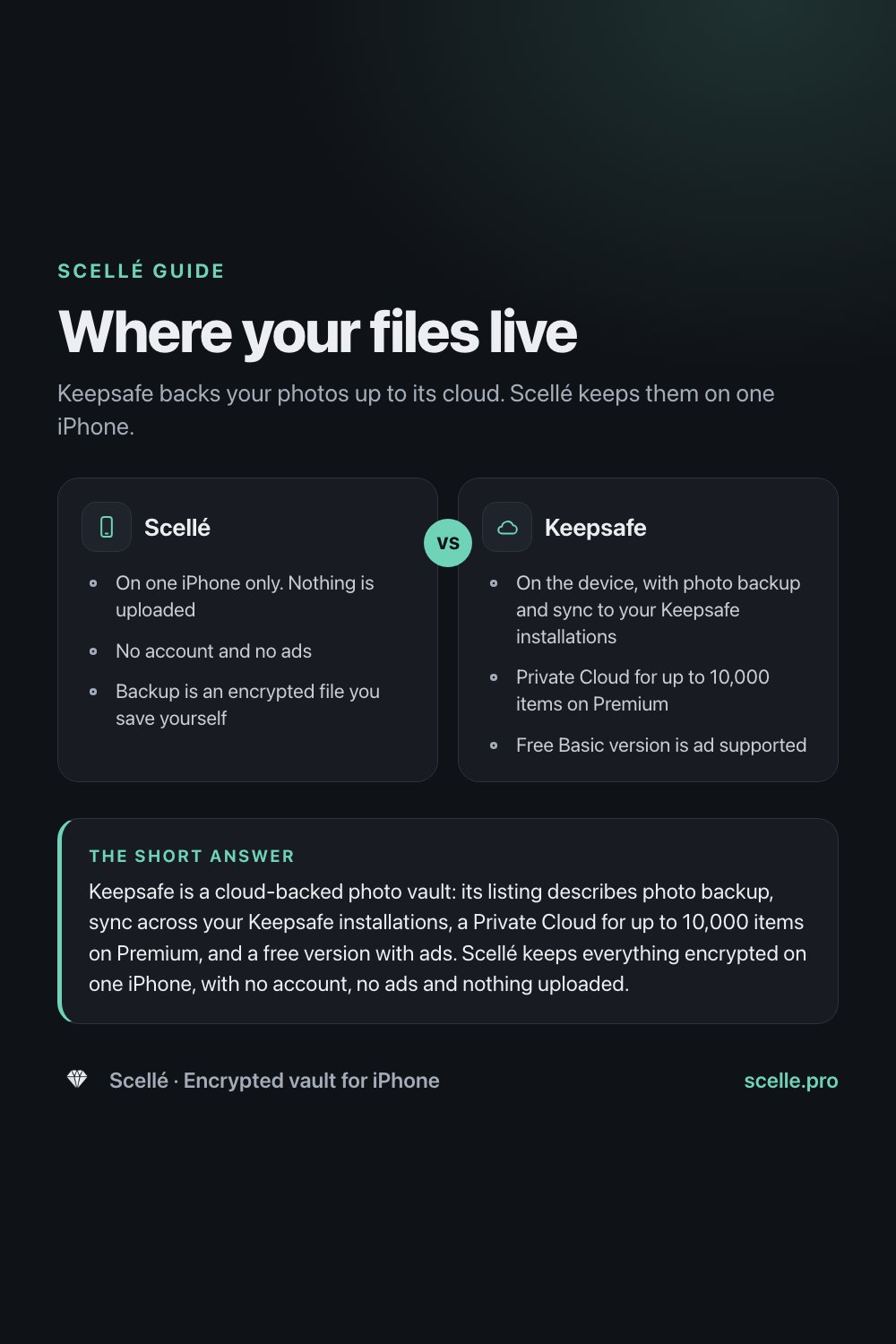
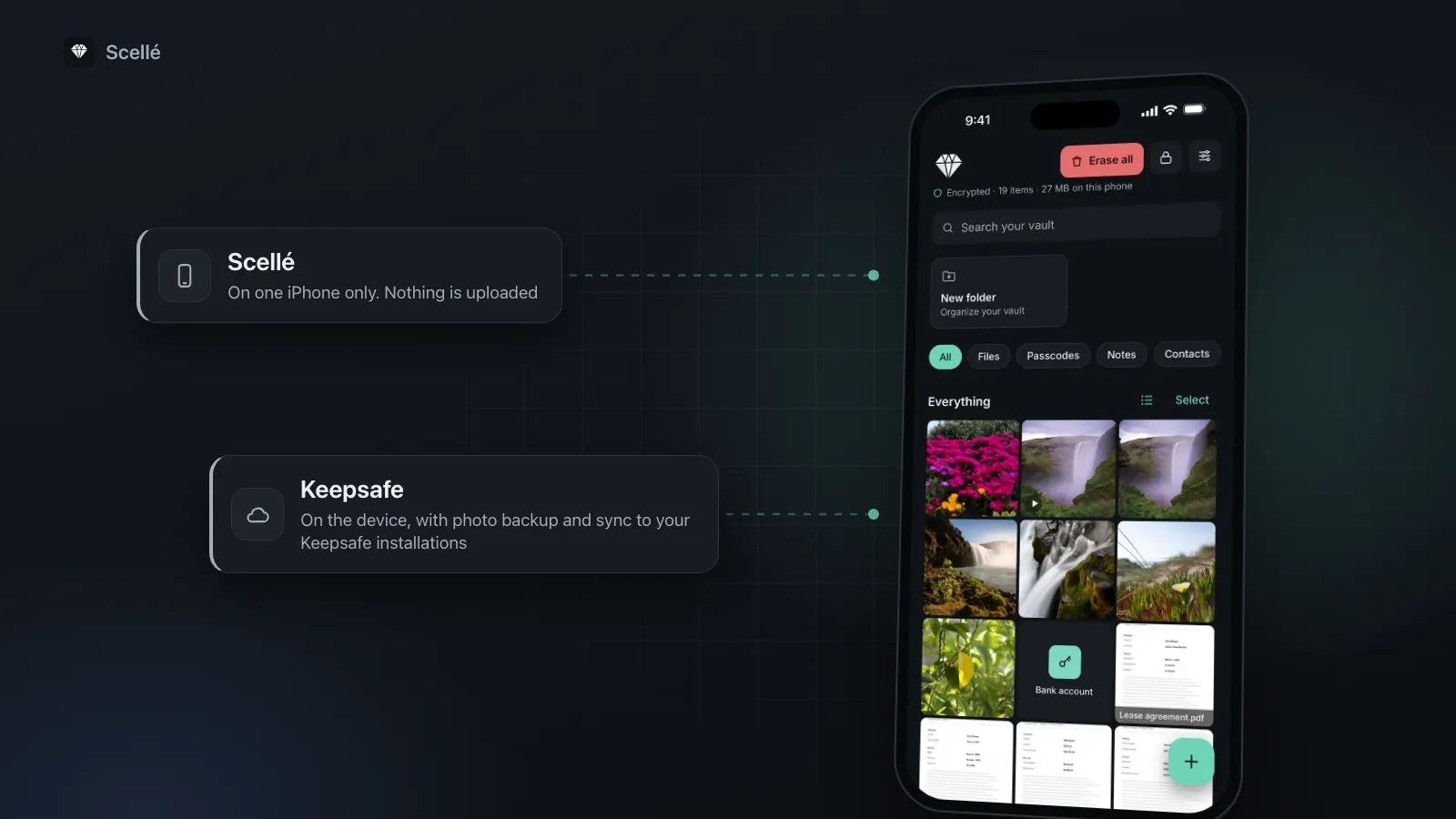
Keepsafe backs your photos up to its cloud. Scellé keeps them on one iPhone.
Checked November 12, 2026

Keepsafe is a cloud-backed photo vault: its listing describes photo backup, sync across your Keepsafe installations, a Private Cloud for up to 10,000 items on Premium, and a free version with ads. Scellé keeps everything encrypted on one iPhone, with no account, no ads and nothing uploaded. Pick Keepsafe for cloud backup, sharing and Android or iPad; pick Scellé if you want nothing to leave the phone.
Side by side
| Point | Scellé | Keepsafe |
|---|---|---|
| Where files live | On the iPhone only. Nothing is uploaded. | On the device, with photo backup and sync to all your Keepsafe installations. Premium adds a Private Cloud for up to 10,000 items. |
| Cloud backup | None. The vault is kept out of iCloud backups. You can save an encrypted backup file yourself, wherever you choose. | Photo backup is a listed feature. Space Saver (Premium) compresses photos and keeps the originals in the cloud. |
| Account | No account, no email. | Its privacy policy describes accounts with a username and password. Its App Store page doesn't say whether one is required to start. |
| What it stores | Any file: photos, videos, documents, plus passcodes, notes and contacts. | Photos, videos, files and documents, per its website. |
| Encryption, as described | Each file encrypted on the phone with its own key (XChaCha20-Poly1305). Passphrase hardened with Argon2id. | AES-256 on the device and in your private backup, per its website. |
| Ads | None. | The free Basic version is ad supported. Ad-Free is a Premium feature. |
| Privacy label | Purchase history only, not linked to you. No tracking. | Usage data used to track you. Usage and advertising data, not linked to you, used for third-party advertising. |
| Devices | iPhone only. | iPhone and iPad on the App Store, plus Android. |
| Sharing | Export a copy through the share sheet. | Safe Send for sharing pictures for a limited time, and shared albums with people you invite. |
| Price | $1.49 per week or $49.99 once. No free tier or trial. | Free with ads. Premium in-app purchases include $9.99 monthly and $23.99 yearly. Its website mentions a 30-day free trial. |
| If you forget your passphrase | Optional printable 24-word recovery key. No reset, no back door. | Not described on the pages we read. Check the app's current recovery options. |
US prices as listed on November 12, 2026. Scellé's local price is shown in the app.
Two different ideas of a vault
If you are looking for a Keepsafe alternative, it helps to know that the two apps start from opposite ends. Keepsafe is built around the cloud. Its App Store page lists photo backup and syncing "to all of your Keepsafe installations on any platform" as basic features, and its paid tier adds a Private Cloud and a Space Saver that keeps your originals online. It has been around for years, has a 4.7 rating from about 386,000 ratings, and ships updates every few weeks.
Scellé is built around the phone. Files are encrypted on your iPhone before they are saved, there is no account to create, and nothing is uploaded to us or anyone else. That makes it simpler to reason about, and it also means no automatic backup and no second device.
Neither approach is wrong. This page sets out where your files end up in each app, what each developer declares about data, what each costs, and how to move if you decide to switch. Everything about Keepsafe comes from its own App Store page, website and privacy policy, read on November 12, 2026.
Where your files live and how backup works
Keepsafe
Keepsafe describes three layers. On the phone, its website says your items sit behind a PIN, with fingerprint or Face ID unlock, and are protected with AES-256. Then there is backup: "photo backup" is a basic feature on its App Store page, and its home page promises that you can lose your phone but not your photos. Finally there is Premium, which its listing says adds a Private Cloud storing up to 10,000 items, Space Saver to free up room on the phone, and Trash Recovery for photos you deleted by mistake.
The practical upside is real. If your phone is lost, broken or replaced, your vault can come back. If you use an iPad or an Android phone as well, the same photos can be there. The trade is that copies of your files are stored on Keepsafe's servers, tied to an account. Keepsafe's privacy policy describes account information (username and password), contact details such as your email address, and "account content" such as photos and videos.
Scellé
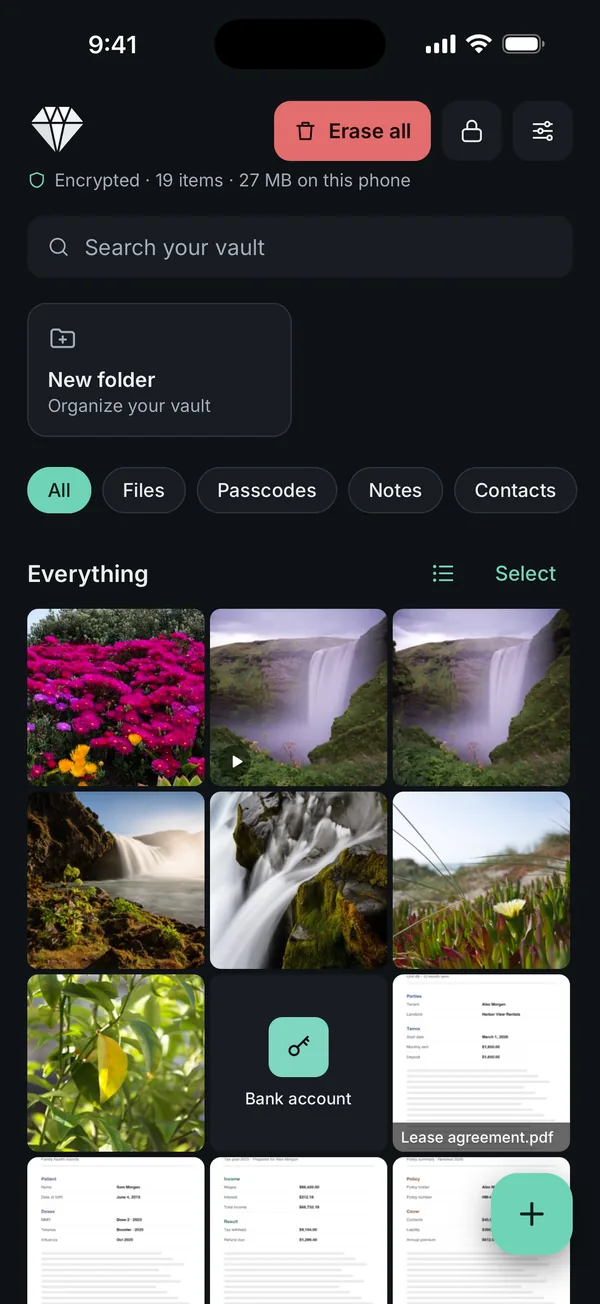
Scellé keeps the vault in one folder on the iPhone, and that folder is flagged so iOS leaves it out of iCloud backups. Each file gets its own random key, and file names, folder names and dates are encrypted along with the contents. The key that opens everything depends on your passphrase (hardened with Argon2id) and on a secret kept in that iPhone's Keychain. More detail is on the encryption page.
Because nothing is uploaded, backup is your job. Scellé can write your whole vault into one encrypted backup file, protected by a backup password you choose, which you save to Files, iCloud Drive, a computer or wherever you like, and restore on any iPhone. It does not run automatically and it does not sync. If you never make one and the phone is lost, the vault is lost with it.
Scellé
- On one iPhone only. Nothing is uploaded
- No account and no ads
- Backup is an encrypted file you save yourself
Keepsafe
- On the device, with photo backup and sync to your Keepsafe installations
- Private Cloud for up to 10,000 items on Premium
- Free Basic version is ad supported
What each app declares in its privacy label
Every App Store listing has an App Privacy section filled in by the developer. Apple shows it as the developer's own statement, not something Apple has checked. "Tracking" has a specific meaning there: linking data from the app with other companies' data for targeted advertising or ad measurement, or sharing it with a data broker.
| Label section | Scellé | Keepsafe |
|---|---|---|
| Data used to track you | None declared | Usage data |
| Data not linked to you | Purchase history, for analytics and app functionality | Usage data, including advertising data, for third-party advertising |
| Data linked to you | None declared | None declared on the label |
| Contains advertising | No | Yes |
For Keepsafe, the ad-related entries fit its model: the free Basic version is ad supported, and its listing links to an ad-choices page. Scellé's single entry comes from RevenueCat, the service that handles its purchases. Scellé has no analytics and no ad code.
Locking, sharing and getting back in
Keepsafe's lock is a PIN with fingerprint or Face ID unlock, and its website lists a facedown lock on both tiers. Premium adds Album Lock, a separate PIN per album, and its product page lists tracking break-in attempts. For sharing, it offers Safe Send to share pictures for a limited time, and shared albums with people you invite. Scellé has no sharing features beyond exporting a copy through the iOS share sheet, so if sharing from inside the vault matters to you, Keepsafe does more here.
Scellé opens with a passphrase of your own, separate from your iPhone passcode, with optional Face ID or Touch ID, or an unlock pattern on a 4x4 grid. It locks when you leave the app, immediately or after a delay you choose, makes you wait longer after repeated wrong passphrases, and hides its contents in the app switcher. The lock and protection page covers each setting. If you forget the passphrase, the optional printable 24-word recovery key is the only way back in. There is no reset by email and nobody at Scellé can open the vault for you.
We could not confirm how Keepsafe handles a forgotten PIN: its App Store page and website don't say, and its help center did not load when we checked. If that matters to you, look in the app's settings before you rely on it.
Pricing as listed
Keepsafe is free to download. Its website says the free Basic version holds up to 200 photos and Premium up to 10,000, with a 30-day free trial. Its App Store page says Basic is ad supported. The App Store lists Keepsafe Monthly Premium at $9.99 and Keepsafe Yearly Premium at $23.99, plus several other Premium items between $4.99 and $35.99, including one named "Premium: Cloud Hider" at $35.99. Which of those you are offered is decided in the app.
Scellé has no free tier and no trial. It costs $1.49 per week or $49.99 once, in US prices, with the local price shown in the app. If a weekly plan ends, your files stay readable and exportable. Only adding new files needs an active plan.
Over a year, Keepsafe's yearly plan costs less than Scellé's weekly one. Scellé's one-time price costs more up front than a year of Keepsafe, but is paid once.
Who each one suits
Keepsafe is the better fit if
- You want your photos backed up to a cloud automatically, so a lost phone does not mean lost photos.
- You use an iPad or an Android phone too, and want the same vault there.
- You want to share albums or send photos that expire.
- You want a free option and don't mind ads, or a yearly plan cheaper than Scellé's weekly one.
Scellé is the better fit if
- You want nothing uploaded, no account and no ads.
- You want a passphrase of your own, separate from your iPhone passcode, and a recovery key only you hold.
- You keep documents, IDs, passwords, notes and contacts as well as photos.
- You prefer a one-time purchase to a recurring bill, and you are happy to make your own backups.
For a wider look at what separates encrypted vaults from apps that only hide files, see how to tell if a photo vault app really encrypts.
How to switch from Keepsafe to Scellé
Take it slowly. The aim is to have every file safely in Scellé before anything is deleted anywhere.
- In Keepsafe, export the photos and videos you want to keep to your photo library or the Files app, using Keepsafe's own export or share option. Large libraries may be quicker in batches.
- Open Scellé, tap the add button, and choose Photos & videos for pictures or Files for anything you saved to the Files app.
- If you want the copies gone from Photos, turn on Remove from Photos after adding before you import. iOS asks you to confirm.
- Open a few files in Scellé to check they came through, then make an encrypted backup file in Scellé's settings and save it somewhere off the phone.
- Delete the photos from Keepsafe, then empty Recently Deleted in Photos, where deleted items otherwise stay for 30 days.
- If you pay for Keepsafe Premium, turn off its auto-renewal. Keepsafe's App Store page says you do that from your account settings after purchase.
Before you delete anything from Keepsafe's cloud, make sure you have every file you need: copies that exist only there will be gone. The guide to moving photos into a vault covers the import step in more detail.
Where Scellé fits
Scellé is for people who want their private files on the phone in their hand and nowhere else. Alongside photos and videos, it stores any file from the Files app, scans paper documents straight to PDF, records video directly into the vault, and keeps passcodes, private notes and contacts. It also offers a second vault with its own passphrase, a disguised home-screen icon, and blocks screenshots of the app by default.
What it does not do: cloud backup, sync, sharing albums, iPad, Mac or Android. If any of those is the reason you use Keepsafe, Scellé is not a like-for-like replacement.
The bottom line
Choose Keepsafe if you want automatic cloud backup, more than one device, sharing, or a free tier with ads. Choose Scellé if you want nothing uploaded, no account and no ads, and you are willing to keep your own encrypted backup file. Whichever you pick, read the current App Store listing first, since features and prices change.
Also see Scellé vs Private Photo Vault and the comparison with the built-in option: Scellé vs the Hidden album.
Frequently asked questions
Is there a free Keepsafe alternative with no ads?
Not Scellé: it has no free tier and no trial. It costs $1.49 per week or $49.99 once (US prices, local price shown in the app), and it has no ads. Keepsafe's own Basic version is free but ad supported according to its App Store page, and its listing names Ad-Free as a Premium feature.
Does Keepsafe upload my photos to the cloud?
Its App Store page lists photo backup and syncing to all your Keepsafe installations as basic features, and a Private Cloud for up to 10,000 items as a Premium feature. Its website says files are protected with AES-256 on the device and in your private backup. How uploads work in detail is something only Keepsafe can describe.
Can I move my photos from Keepsafe to Scellé?
Yes, in two stages. Export the files from Keepsafe to your photo library or the Files app using Keepsafe's own export option, then add them to Scellé from Photos & videos or Files. Check them in Scellé before deleting anything in Keepsafe, and remember that photos you delete from Photos stay in Recently Deleted for 30 days.
Does Scellé work on iPad or Android like Keepsafe?
No. Scellé is iPhone only, with no iPad layout, Mac or Android version, and it does not sync between devices. Keepsafe's App Store page lists iPhone and iPad, and its website offers Android too. If you need the same vault on several devices, Keepsafe fits that need and Scellé does not.
What happens if I forget my Scellé passphrase?
You can open the vault with the optional 24-word recovery key, if you set one up and still have it. There is no email reset and no support override. If both the passphrase and the recovery key are lost, nobody can open the files, including us. Keepsafe's pages we read don't describe its PIN recovery.
Which is more private, Keepsafe or Scellé?
Going by the App Store privacy labels, which are each developer's own statements: Keepsafe declares usage data used to track you and advertising data used for third-party advertising. Scellé declares only purchase history, not linked to you, and no tracking. Scellé also uploads nothing. Neither label has been verified by Apple.
Sources
- App Store: Secret Photo Vault: Keepsafe (US), read November 12, 2026
- Keepsafe: Photo Vault product page (Basic and Premium)
- Keepsafe Privacy Policy (last updated February 25, 2026)
- App Store: Scellé - Encrypted Vault (US), read November 12, 2026
- Apple Developer: App privacy details on the App Store (what tracking means)
- Apple Support: Delete photos on your iPhone or iPad
Keepsafe details come from its US App Store page (Secret Photo Vault: Keepsafe, by KeepSafe Software, Inc., version 13.36.0), its website getkeepsafe.com (home and product pages) and its privacy policy, all read on November 12, 2026. Keepsafe's help center did not load for us, so anything only described there is not covered. App Store privacy labels are the developer's own statements and are not verified by Apple. We cannot verify how any other app implements encryption, and prices and features change, so check the App Store before you decide. Keepsafe is a trademark of its owner. Scellé is not affiliated with Keepsafe.