How to Store Tax Documents and Records Safely on iPhone
Gather tax records in one encrypted place and clear the copies scattered around.
Published November 14, 2026

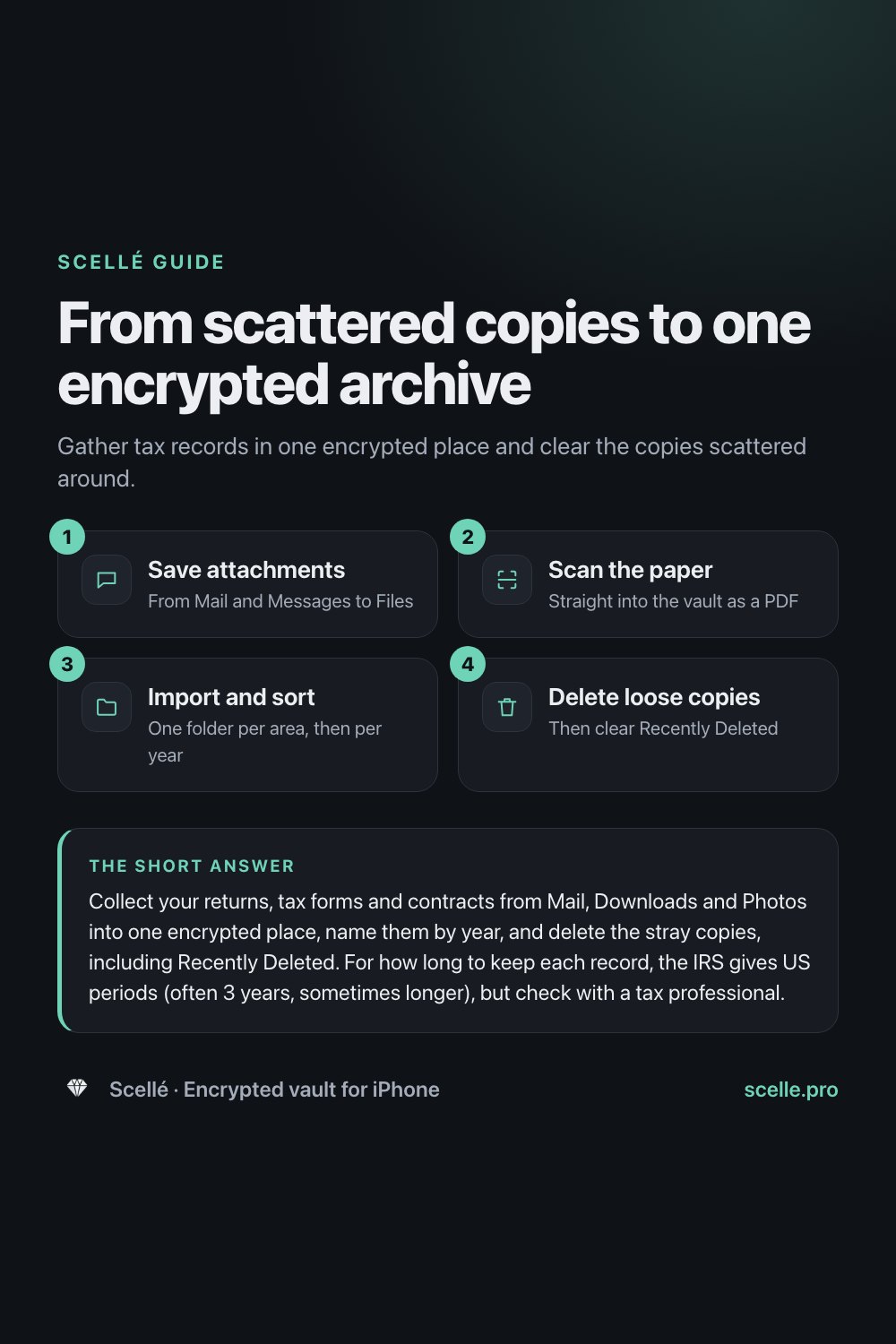
Collect your returns, tax forms and contracts from Mail, Downloads and Photos into one encrypted place, name them by year, and delete the stray copies, including Recently Deleted. For how long to keep each record, the IRS gives US periods (often 3 years, sometimes longer), but check with a tax professional. This is general information, not tax or legal advice.
Why tax papers end up all over your phone
Tax season leaves a trail. A W-2 arrives as an email attachment, a 1099 gets downloaded from a bank's website, a receipt is photographed in a hurry, and last year's return sits in a Messages thread with your accountant. A few months later you need one of them and can't remember where it went. Every one of those copies holds your Social Security number, income and bank details.
This guide covers where those files live on an iPhone, what to keep and for how long, and how to bring everything into one encrypted place without leaving loose copies behind. It is general information, not tax or legal advice.
Where your tax files actually sit
Each app that touches a document keeps its own copy, and some of those copies sync to other devices. Before you tidy up, it helps to know what each place does.
| Where the copy is | What happens to it | Worth knowing |
|---|---|---|
| Mail attachment | Stays in the message, in your inbox and on the mail server | Saving it to Files or Photos makes a second copy |
| Files app, Downloads | A plain file that opens without any extra lock | Downloads can live in iCloud Drive, which syncs to your other devices |
| Photos (a picture of a form) | Sits in your library and syncs if iCloud Photos is on | Deleted photos stay in Recently Deleted for 30 days |
| Messages attachment | Stays in the conversation, on both sides | Deleted messages stay in Recently Deleted for up to 30 days |
| iCloud Drive or Notes | Encrypted on Apple's servers, with Apple holding the keys by default | End-to-end encrypted only if you turn on Advanced Data Protection |
The trouble is the number of copies, each opened by your iPhone passcode alone, some of them on your iPad or Mac too. Apple's iCloud security overview explains that under the default setting, Apple keeps the keys for iCloud Drive, Photos and Notes so it can help you recover data. If you would rather only your devices hold the keys, that is what on-device and end-to-end encryption is about.
What to keep, and for how long
Most households end up with the same groups of documents:
- Filed tax returns, plus the forms behind them, such as W-2s, 1099s and 1098s.
- Receipts and statements that support a deduction or credit.
- Records about property you own, such as a home purchase or improvements.
- Contracts, leases and signed agreements.
- Insurance policies, health coverage records and medical bills.
US federal tax records
The IRS says to keep the records that support an item on your return until the period of limitations for that return runs out. In its guidance, that is generally 3 years after you file. It is 6 years if you left out income worth more than 25% of the gross income on the return, 7 years if you claim a loss from worthless securities or a bad debt deduction, and indefinitely if you did not file or filed a fraudulent return. Property records are kept until the period runs out for the year you sell or dispose of the property. The IRS also suggests keeping copies of your filed returns, because they help with future returns and amendments.
Everything else
Rules for other documents vary by country, state and situation. The IRS itself points out that an insurer or a creditor may ask you to keep records longer than it does. Ask a tax professional how long to keep each type, and keep anything you could not replace.
Worth knowing
If you lose a federal return, you can view or download transcripts of past returns in your IRS Individual Online Account, or ask for them by mail. A transcript is not a full copy of the return, so keeping your own copy is still easier.
A structure that stays findable
A tidy archive is mostly about names. Make one folder per area, then one per year inside it where it helps: Taxes, then 2025 and 2024; Insurance; Medical; Property; Contracts. Name every file with the year first and a short description, such as 2025 federal return.pdf, 2025 W-2 employer.pdf or 2024 roof repair invoice.pdf. Years first keeps files in order, and a clear name lets search find them, even in apps that cannot read the text inside a PDF. Keep one working copy of each.
How to bring everything into one encrypted place
These steps use Scellé as the encrypted place, but the order works with any vault or protected folder.
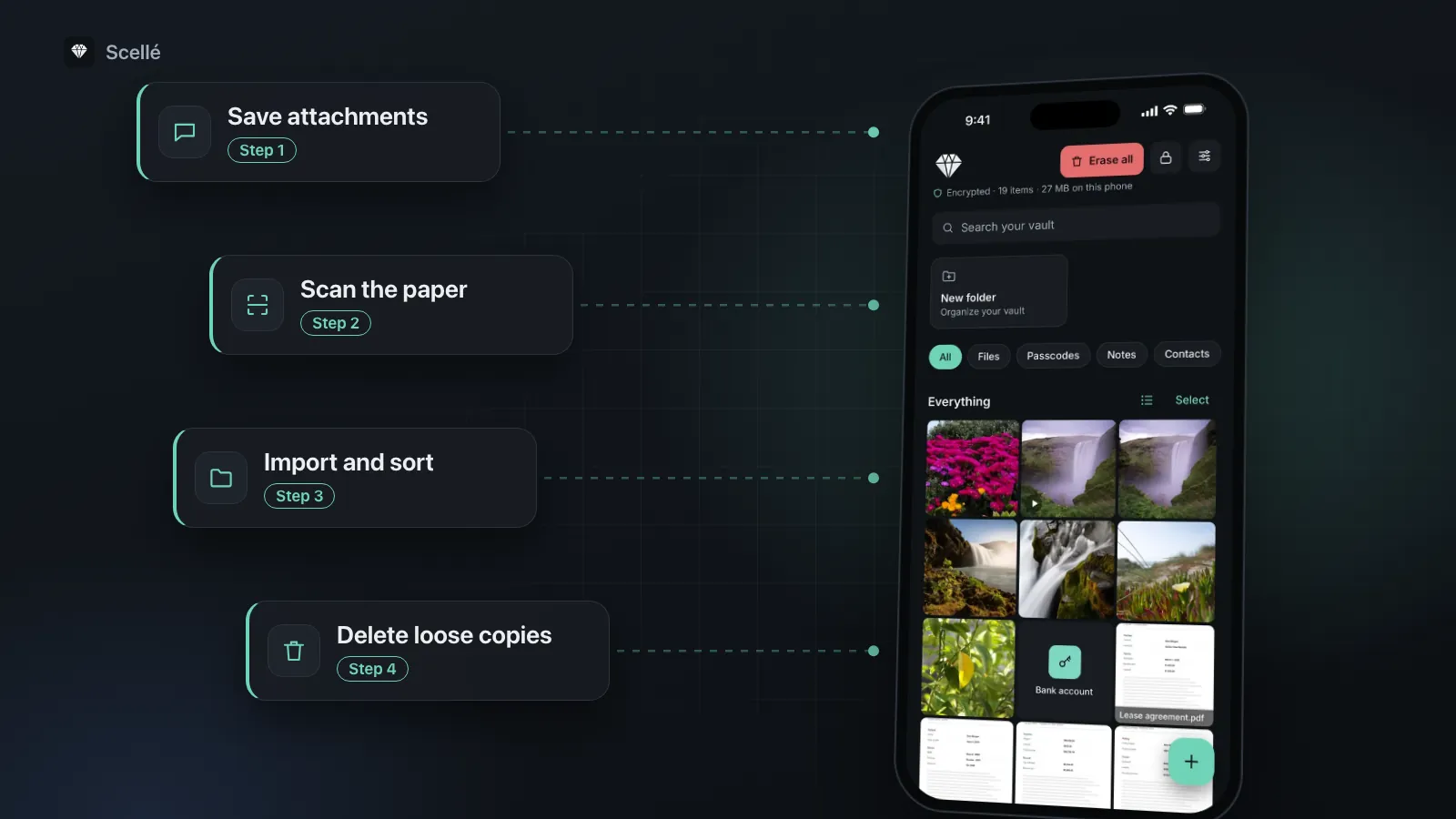
- Save each emailed form: in Mail, touch and hold the attachment, then choose Save to Files. Note where it lands.
- Open the Files app, tap Browse, then open Downloads, and gather the forms you downloaded from banks and employers.
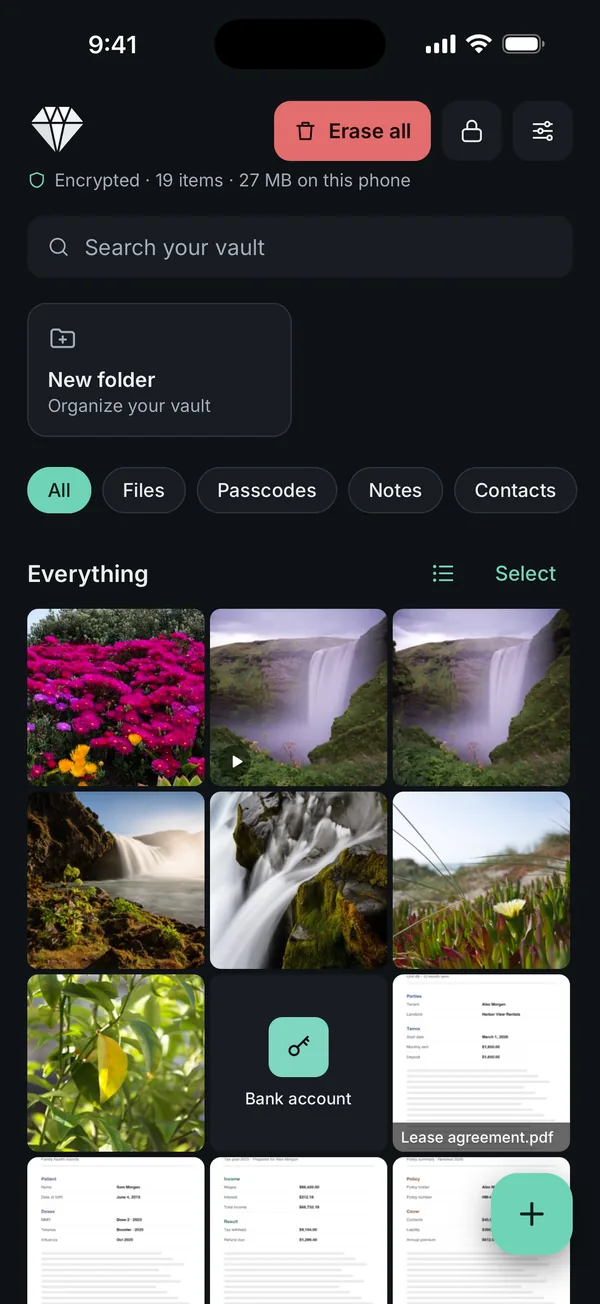
- Scan any paper you want to keep digitally. In Scellé, tap +, then Scan, so the pages go straight into the vault as one PDF and never into Photos.
- In Scellé, tap +, then Files, and pick the documents. Scellé encrypts each one on the phone and deletes its own temporary copy.
- Rename them and sort them into folders by area and year.
- Delete the loose copies you no longer need from Files, Mail, Messages and Photos, then clear Recently Deleted in Photos and Messages.
- 1Save attachmentsFrom Mail and Messages to Files
- 2Scan the paperStraight into the vault as a PDF
- 3Import and sortOne folder per area, then per year
- 4Delete loose copiesThen clear Recently Deleted
Sending a document to your accountant or lender
Ask how they want sensitive files delivered. Many accountants offer a secure upload portal. When you do send something, send only that file. In Scellé, open it and tap Export to use the share sheet. Scellé decrypts a temporary copy for the share sheet and removes it when the sheet closes, but the copy you sent now lives in the app you used, such as your Mail Sent folder, so delete it there if you don't need it. Be wary of unexpected requests: the IRS says it does not start contact by email, text or social media to ask for personal or financial information.
Mistakes that leave copies behind
- Forgetting Recently Deleted. Photos keeps deleted items for 30 days and Messages for up to 30 days. Until you clear them, the copy is still there.
- Old threads. Last year's return in a Messages or Mail conversation is easy to forget. Search both for "return", "W-2" and "1099".
- Other devices. If Downloads is in iCloud Drive or iCloud Photos is on, a file you delete on the iPhone may already be on your Mac. Check there too.
- No backup. Moving everything onto one phone without a copy elsewhere swaps one risk for another.
When Files or iCloud Drive is enough
If you need your tax documents on a Mac and an iPad as well, a folder in iCloud Drive is practical, and turning on Advanced Data Protection makes iCloud Drive end-to-end encrypted, so Apple does not hold the keys. The folder still opens with your device passcode on every device signed in to your Apple Account. That is enough for many people, especially if nobody else knows the passcode.
A separate vault makes more sense when other people use your phone or know its passcode, when you share a Mac or an Apple Account, or when you simply want these records off any cloud.
Where Scellé fits
Scellé is an encrypted vault for iPhone. Every file is encrypted on the phone with its own random key before it is saved, including its name and folder, and the vault opens with a passphrase that is separate from your iPhone passcode. There is no account and nothing is uploaded. For a tax archive, that means:
- Any file type goes in: PDFs from Files, scans, photos of receipts.
- Folders, rename, move and search by name, plus encrypted previews of PDFs in the grid.
- Export one file, a selection or a whole folder through the share sheet when someone needs it.
- An encrypted backup file of the whole vault, protected by a backup password, that you can save to Files, iCloud Drive or a computer.
- If a plan ends, your files stay readable and exportable; only adding new files needs an active plan.
What it does not do: it does not read the text inside a PDF, so search works on names only. It does not sync to other devices, and deleting a file removes it for good, with no Recently Deleted. Keep a backup file somewhere other than the phone, and print the 24-word recovery key, because there is no reset if you forget the passphrase. See what happens if you forget a vault passphrase and how to move the vault to a new iPhone. More on how files are protected is on the encryption page.
Frequently asked questions
Is it safe to keep tax returns on my iPhone?
It can be, if the files sit in one protected place rather than loose in Mail, Messages and Downloads. A tax return holds your Social Security number, income and bank details, so treat it like an ID scan. Keep it behind a lock that is separate from your phone's passcode, and keep a backup somewhere other than the phone itself.
How long should I keep tax records in the US?
The IRS says to keep records that support your return until the period of limitations runs out. That is generally 3 years, but it can be 6 or 7 years in some situations, longer for property records, and indefinitely if no return was filed. The IRS also suggests keeping copies of filed returns. Ask a tax professional about your own case.
Can I throw away paper originals once I have scanned them?
Sometimes, but not always. Some papers, such as signed contracts, deeds or anything you may need to show in its original form, are worth keeping on paper. A tax professional or lawyer can tell you which originals matter. Until you know, keep the paper in a safe place and treat the scan as your working copy.
Should I email tax documents to my accountant?
Ask first. Many accountants offer a secure upload portal and prefer it to email. If email is the only option, send just the files they asked for, and remember the message stays in your Sent folder. The IRS warns that it does not start contact by email or text to ask for personal or financial information.
What if I lose my phone with my tax documents on it?
If the files were in an encrypted vault with its own passphrase, a finder cannot open them. To get them back, you need a backup kept off the phone. For federal returns, you can also view or download transcripts of past returns in your IRS Individual Online Account, or request them by mail.
Does Scellé back up my documents to iCloud?
No. Scellé keeps the vault out of iCloud backups and has no server or account. To keep a copy off the phone, make an encrypted backup file in the app and save it to Files, iCloud Drive or a computer. The backup file is protected by a backup password you choose, separate from your passphrase.
Summary
- Gather tax files from Mail, Downloads, Messages and Photos into one protected place, named by year.
- Delete the loose copies and clear Recently Deleted in Photos and Messages.
- Keep US federal records at least as long as the IRS periods that apply to you, and confirm with a tax professional.
- Keep a backup off the phone, and keep paper originals you may need to show.
For identity documents, see how to store passport and ID scans, and for paper, how to scan documents without sending them to Photos.