Best Photo Vault Apps for iPhone: 6 Compared on Privacy
The right vault depends on where your photos go and who holds the key.
Published November 14, 2026

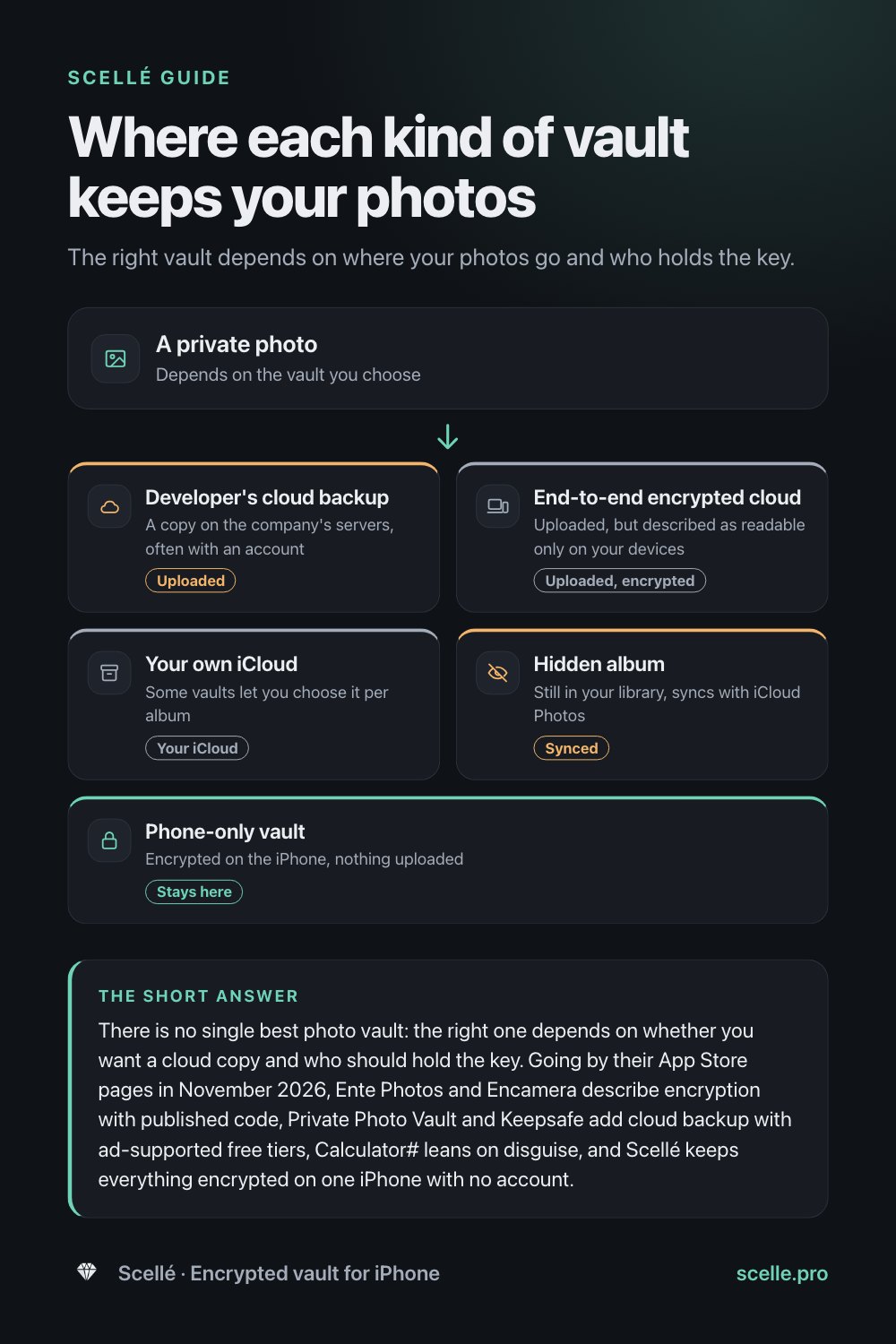
There is no single best photo vault: the right one depends on whether you want a cloud copy and who should hold the key. Going by their App Store pages in November 2026, Ente Photos and Encamera describe encryption with published code, Private Photo Vault and Keepsafe add cloud backup with ad-supported free tiers, Calculator# leans on disguise, and Scellé keeps everything encrypted on one iPhone with no account. We make Scellé, so check each claim yourself.
How this comparison works
Search the App Store for "photo vault" and you get dozens of apps with padlock icons and near-perfect star ratings. They look alike, but they do very different things with your photos. Some upload them to a company's servers, some keep them on your phone, some encrypt them, and some only put a PIN screen in front of them.
This guide compares six vault apps on the points that decide your privacy, using only what each developer says on its own US App Store page, read on November 14, 2026. We make Scellé, one of the six, so we judged it by the same criteria and put its trade-offs in writing. We can't test how any app implements encryption, and App Store privacy labels are the developer's own statements, which Apple does not verify. Prices and features change, so check the listing before you decide.
There is no ranking here, on purpose. A vault that suits someone who wants every photo backed up to the cloud is the wrong vault for someone who wants nothing to leave the phone.
What to look for in a photo vault
Five questions separate a vault that protects your photos from one that only hides them.
Encrypted, or just hidden?
A lock screen tells you nothing about the files behind it. An encrypted vault scrambles each photo so it is unreadable without a key, ideally one made from a password only you know. A vault that only hides photos stores them as ordinary files behind a PIN screen. Our guide on whether vault apps really encrypt your photos explains how to tell the difference.
Where do the photos live?
Some vaults keep photos on the phone only, some back them up to the developer's cloud, and some use your own iCloud. A cloud copy protects you if the phone is lost. It also means a copy exists somewhere else, usually tied to an account and an email address.
Who holds the key?
If the company can reset your PIN by email, it can usually get into your vault too. If only your password unlocks the photos, nobody can rescue you if you forget it. Neither is wrong, but you should know which one you are choosing.
Ads and tracking
Every App Store page has an App Privacy section. Apple defines tracking as linking data from an app with other companies' data for targeted advertising, or sharing it with a data broker. A vault that lists "Data Used to Track You" is sharing something about how you use it, even if your photos stay private.
Can you get your photos out?
A vault you can't leave is a trap. Before you trust one with real photos, make sure it can export them back to Photos or the Files app in a form any app can open. Our export guide walks through the test.
The six apps side by side
The first table covers storage and encryption, as each listing describes them. The second covers ads, tracking, devices and price.
| App | Where photos are kept | Encryption, as described | Account |
|---|---|---|---|
| Private Photo Vault | On the device; optional Cloud Vault backup on Premium | Cloud Vault backups are encrypted with a password only you know. The listing doesn't say how photos on the phone are stored. | Not stated; the label lists a user ID linked to you |
| Keepsafe | On the device, with photo backup and sync to your other Keepsafe installs; Premium Private Cloud up to 10,000 items | Locks photos with a PIN, fingerprint and encryption | Not stated on the listing |
| Calculator# | On the device; optional backup to iCloud, Dropbox, Google Drive or OneDrive | Describes password protection; encryption isn't mentioned | Lost passwords are recovered through a registered email |
| Encamera | On the device, or your own iCloud, chosen album by album; no third-party servers | Encrypts every photo you add or take; code is open source | No account needed |
| Ente Photos | Uploaded to Ente's cloud, stored in three locations, and on your devices | End-to-end encrypted on the device before upload; open source and audited by outside experts | Yes; the listing mentions your account and two-factor sign-in |
| Scellé | On one iPhone only; nothing uploaded | Each file encrypted on the phone with its own key; passphrase hardened with Argon2id | No account, no email |
| App | Ads | Tracking, per its privacy label | Devices | US price as listed |
|---|---|---|---|---|
| Private Photo Vault | Listed as containing ads | Usage data used to track you | iPhone, iPad, Mac | Free download; Premium purchases from $6.99 to $39.99 |
| Keepsafe | Basic version is ad supported | Usage data used to track you | iPhone, iPad | Free with ads; Premium $9.99 a month or $23.99 a year |
| Calculator# | Free version has ads | Contact info used to track you | iPhone, iPad, Mac | Free with limits; $4.99 a year |
| Encamera | None, per its listing | None declared | iPhone, iPad | Free with limits; for example $3.99 a month, $19.99 a year or $99.99 lifetime |
| Ente Photos | None listed | None declared | iPhone, iPad, plus desktop and web | 10 GB free; paid storage tiers |
| Scellé | None | None declared; purchase history only, not linked to you | iPhone only | $1.49 a week or $49.99 once; no free tier |
From each app's US App Store page, read November 14, 2026. Scellé's local price is shown in the app.
App by app
Private Photo Vault
The most-rated of the six, with more than a million ratings. Its listing describes a PIN or pattern lock, password-protected albums, a decoy password, a break-in report that records a photo and GPS location, and a private web browser. The paid Cloud Vault backs up your photos, and the listing says the Cloud Vault password is never backed up to its servers, so the company cannot view them, and that a forgotten Cloud Vault password means losing that backup. It also warns that the free version does not back up to Cloud Vault.
Good fit if you want a feature-rich vault with an optional encrypted cloud backup. Watch for ads in the free version, and a privacy label that lists usage data used to track you.
Keepsafe
A vault built around the cloud. Its basic features include photo backup and syncing to all your Keepsafe installs, an in-app camera and Safe Send for sharing pictures for a limited time. Premium adds album PINs, a Private Cloud for up to 10,000 items, Space Saver, which compresses photos on the phone and keeps the originals in the cloud, Trash Recovery and no ads. We cover it in more depth in Scellé vs Keepsafe.
Good fit if you want automatic backup and the same vault on more than one device. Watch for the ad-supported free tier and tracking in its label.
Calculator#
A vault disguised as a working calculator. It stores photos, videos, documents, passwords, notes, contacts and to-dos, can delete originals from your photo library, and offers backup to several cloud services. It adds a panic switch, a fake crash message and a log of failed unlock attempts. Its listing describes password protection but does not mention encryption, and it says lost passwords can be recovered through your registered email, so whoever controls that email account can get back in.
Good fit if disguise matters most to you. Watch for the missing encryption claim. Our guide to calculator vault apps explains what a disguise does and doesn't protect.
Encamera
A smaller, privacy-focused camera and vault. Its listing says every photo you add or take is encrypted, that you can keep albums on the device or in your own iCloud, that there are no third-party servers, no account, no ads and no tracking, and that its code is open source for anyone to review. Its privacy label declares only usage data, not linked to you, for analytics. Premium removes limits on photos and albums and adds iCloud storage.
Good fit if you want encryption without an account and like being able to read the code. Watch for its small number of ratings, and the fact that iCloud albums put a copy in your iCloud.
Ente Photos
Not a vault in the usual sense: it is an end-to-end encrypted replacement for your whole photo library in the cloud. Its listing says photos are encrypted on your device and then backed up to three locations, that the code is open source and has been audited by outside security experts, and that it runs on phones, desktops and the web. It has an app lock and a password-protected Hidden folder, shared albums and family plans.
Good fit if you want every photo backed up, private from the company, and available everywhere. Watch for the account it needs, and the fact that this is a cloud service by design: your photos leave the phone, encrypted.
Scellé
Our app. Every file is encrypted on the iPhone with its own random key before it is saved, including its name and folder, and the vault opens only with your passphrase. There is no account and nothing is uploaded. It holds any file, not just photos, plus passcodes, notes and contacts. More on that below.
Good fit if you want nothing to leave the phone and no company in the loop. Watch for no free tier, iPhone only, no sync, and no rescue if you lose both your passphrase and recovery key.
The built-in option: the Hidden album
Apple's Photos app can hide photos in a Hidden album that, according to Apple, is locked by default since iOS 16 and unlocks with Face ID or Touch ID. It is free and has no ads. But hidden photos stay in your photo library, and with iCloud Photos on, Apple says they are hidden on your other devices too, which means they sync. See is the Hidden album private for the full picture.
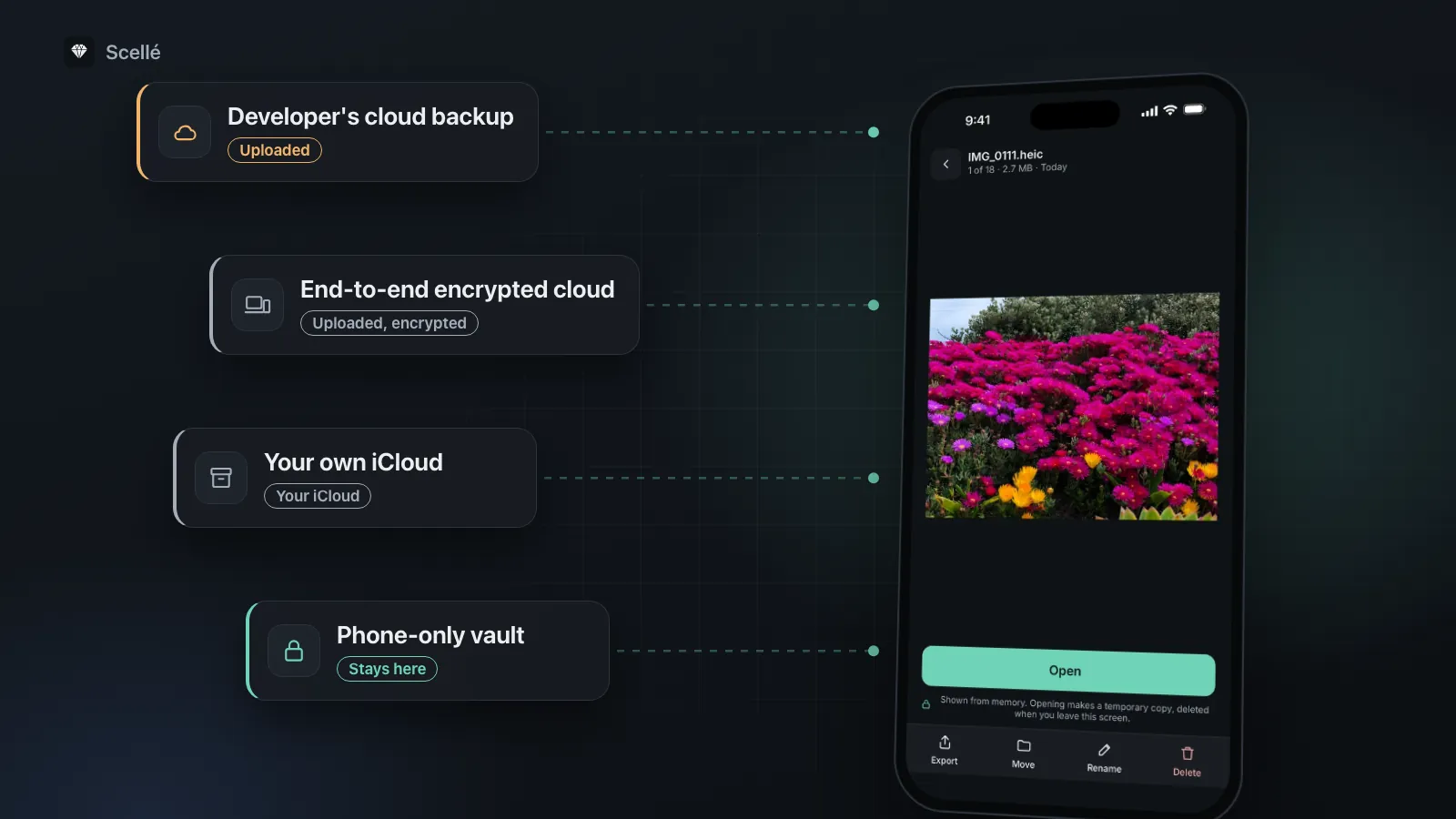
- Developer's cloud backupA copy on the company's servers, often with an accountUploaded
- End-to-end encrypted cloudUploaded, but described as readable only on your devicesUploaded, encrypted
- Your own iCloudSome vaults let you choose it per albumYour iCloud
- Hidden albumStill in your library, syncs with iCloud PhotosSynced
- Phone-only vaultEncrypted on the iPhone, nothing uploadedStays here
Which kind of vault fits you
Most people are really choosing between three designs, and the right one depends on what worries you more.
- Losing the photos. If a broken or stolen phone is your biggest fear, a vault with a cloud backup makes sense. Prefer one where the backup is encrypted with a password the company never sees.
- Someone else seeing them. If the worry is the company, a breach or an account being taken over, a vault with no account and no upload removes those routes. You then keep your own backup.
- Someone picking up your phone. Any vault with its own lock helps here. A disguise adds a little, but only encryption protects the files themselves.
Our guide to photo vaults with no account covers what you gain and give up with the last two.
Check any vault before you trust it
Whichever app you pick, test it with photos you don't care about first. It takes ten minutes.
- On the app's App Store page, scroll to App Privacy and read every heading. Note anything under Data Used to Track You or Data Linked to You.
- Read the description for the word "encrypt", and for where the key comes from. "Password protected" is not the same claim.
- Install it and add two or three test photos, not real ones.
- On the lock screen, tap Forgot PIN or Forgot password, if there is one. A reset by email means someone other than you can open the vault.
- Export a test photo back to Photos or the Files app and open it there. If you can't, don't move your real photos in.
- Only then move your real photos, and delete the originals and their Recently Deleted copies once you've checked them in the vault.
For the full routine, see how to move photos to a vault and remove every copy.
Where Scellé fits
Scellé is built for people who want nothing to leave the phone. Here is how it answers the same five questions, checked against our app code.
- Encryption. Each file gets its own random key (XChaCha20-Poly1305), and names, folders and dates are encrypted too. Your passphrase is hardened with Argon2id, and the vault key also depends on a secret kept in this iPhone's Keychain.
- Where photos live. On the phone only. The vault folder is marked to be left out of iCloud and computer backups, and Scellé has no server.
- Who holds the key. Only you. There is no reset by email, only an optional printable 24-word recovery key.
- Ads and tracking. None. The only outside service handles purchases, and Scellé's privacy label lists only purchase history, not linked to you.
- Getting photos out. Export one photo, a selection or a whole folder through the share sheet, or make an encrypted backup file of the whole vault, protected by a backup password.
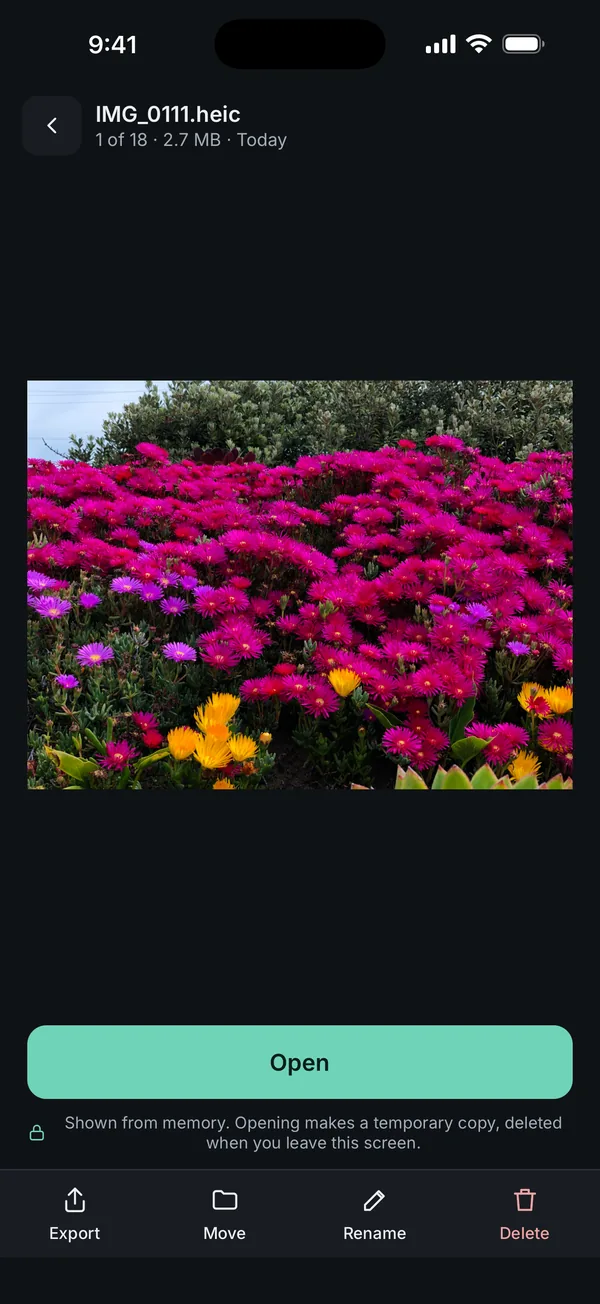
What it does not do: Scellé is iPhone only, with no iPad, Mac or Android app, and no sync. There is no automatic cloud copy, so if you lose the phone without a backup file, the vault goes with it. It can't share albums with other people. Its code is not public, so you rely on our description, unlike Encamera and Ente Photos. It is new, released in November 2026, so it has very few ratings. And it is paid: $1.49 a week or $49.99 once (US prices, local price shown in the app), with no free tier or trial. If a plan ends, your files stay readable and exportable. The encryption page has the details.
Frequently asked questions
What is the most secure photo vault app for iPhone?
Nobody outside a company can fully verify its encryption, so be wary of anyone who names one winner. Look for an app that says it encrypts photos on the phone with a key made from a password only you know, declares no tracking, and ideally publishes its code. On that last point, Encamera and Ente Photos say their code is open; Scellé's is not public.
Is there a free photo vault app with no ads?
The iPhone's own Hidden album is free and has no ads, though it hides photos rather than adding a separate lock. Among the apps here, Ente Photos lists 10 GB free and Encamera describes itself as ad-free with paid upgrades. Private Photo Vault's listing says it contains ads, and Keepsafe and Calculator# list ads in their free versions. Scellé has no free tier or trial.
Can a photo vault company see my photos?
It depends on where the photos go and who holds the key. If photos never leave your phone, the company has nothing to look at. If they are uploaded, the company can only open them if it holds the key. Private Photo Vault's listing says its Cloud Vault password never reaches its servers, and Ente Photos describes end-to-end encryption.
Do photo vault apps work on iPad and Mac too?
Several do. As listed in November 2026, Private Photo Vault runs on iPhone, iPad and Apple silicon Macs, Calculator# on iPhone, iPad and Mac, and Keepsafe, Encamera and Ente Photos on iPhone and iPad. Ente also lists desktop and web apps. Scellé is iPhone only and does not sync between devices.
Are star ratings a good way to pick a vault app?
Only for ease of use. Ratings tell you whether people like an app, not whether it encrypts their photos or where it stores them. Private Photo Vault and Keepsafe have hundreds of thousands of ratings, while Scellé was released in November 2026 and has almost none. Use the checks in this guide instead.
Should I switch vault apps if mine is not encrypted?
If what you keep matters, probably. Export your photos from the old app first and check that every one opened, then add them to the new vault and test it. Only then delete the old app, and remember that photos you exported to your library are ordinary photos again until you remove them.
Summary
- Pick the design first: cloud backup, end-to-end encrypted cloud, or phone only. Then pick the app.
- Look for an encryption claim with a key only you hold, not just a PIN screen or a disguise.
- Read the App Privacy section: ads and tracking appear in several free vaults.
- Test export and the forgot-password screen with throwaway photos before you move real ones.
- Scellé fits if you want everything on one iPhone with no account; it is not the right choice if you need a cloud copy or other devices.
Sources
- App Store: Private Photo Vault - Pic Safe (US), read November 14, 2026
- App Store: Secret Photo Vault: Keepsafe (US), read November 14, 2026
- App Store: Calculator# Hide Photos Videos (US), read November 14, 2026
- App Store: Encamera Encrypted Photo Vault (US), read November 14, 2026
- App Store: Ente Photos (US), read November 14, 2026
- Apple Developer: App privacy details on the App Store (what collected and tracking mean)