Are Photo Vault Apps Safe? What to Check Before You Trust One
Safe means encrypted, no surprise copies, little data collected, and an exit.
Published November 14, 2026

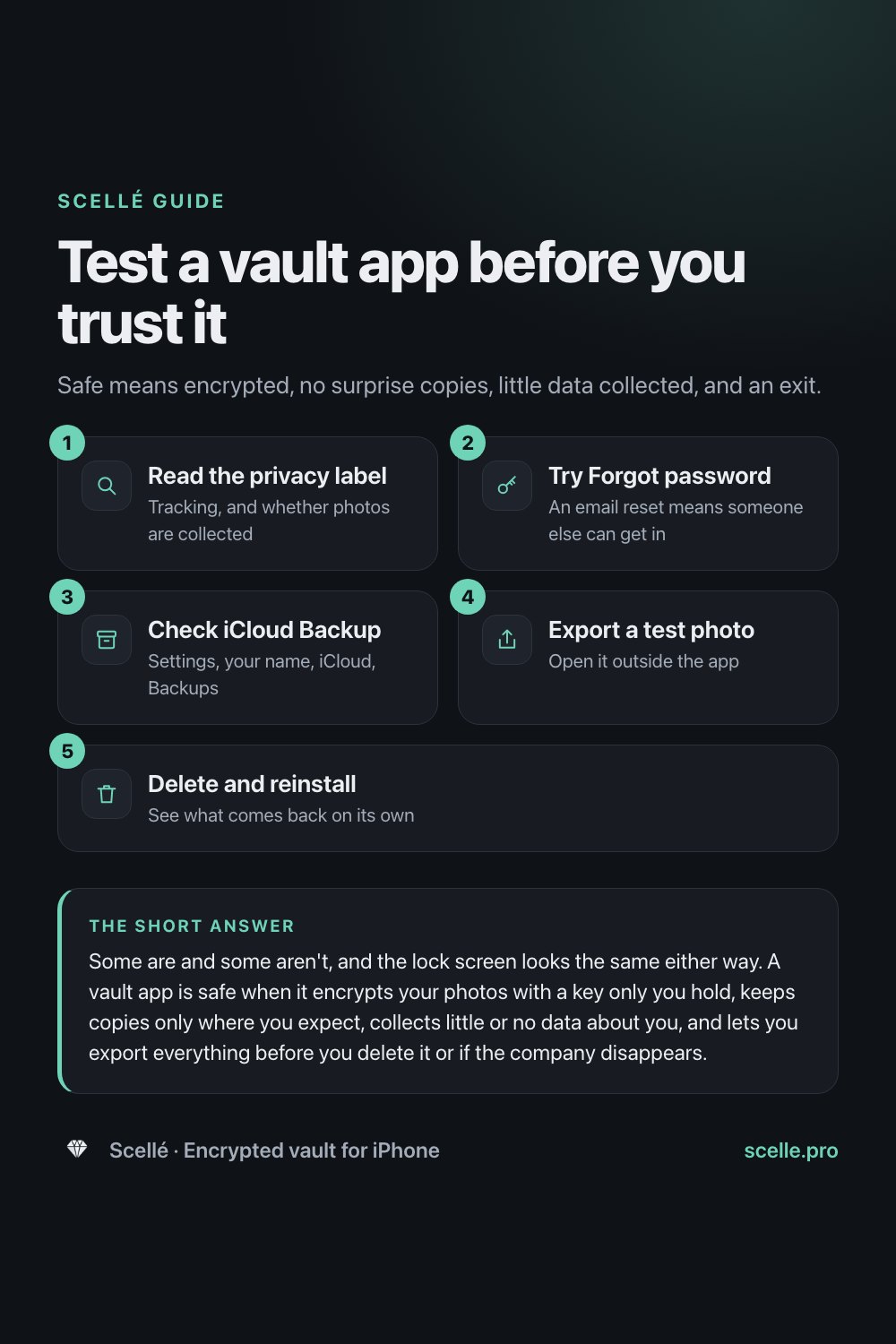
Some are and some aren't, and the lock screen looks the same either way. A vault app is safe when it encrypts your photos with a key only you hold, keeps copies only where you expect, collects little or no data about you, and lets you export everything before you delete it or if the company disappears. You can test most of this yourself in about fifteen minutes.
What "safe" means for a vault app
When people ask whether photo vault apps are safe, they usually mean one of a few different things. Will someone who picks up my phone see these photos? Is the company behind the app looking at them? Will they end up in the cloud? And will I lose them if something goes wrong? A vault can be good at one of these and poor at another.
Think of the difference between a curtain and a safe. A curtain keeps things out of sight, and a safe keeps them out of reach. Some vault apps are curtains with a PIN pad. This guide covers what decides which kind you have, and ends with a test you can run on any vault app, with throwaway photos, before you trust it with real ones.
Encrypted, or only hidden
This is the first and biggest question. An encrypted vault turns each photo into scrambled data that can only be read with a key, and in a well-built vault that key comes from a password only you know. A vault that only hides photos keeps them as ordinary image files inside the app and puts a PIN screen in front of them. Both look identical from the outside.
The difference shows up when the PIN screen is skipped: when the files are copied off the phone, when the app is used on a phone someone else controls, or when the company resets your PIN for you. A hidden photo is readable in all three cases. An encrypted one is not. Our guide to whether vault apps really encrypt your photos goes through how to tell from the outside.
Copies you might not know about
A photo inside a vault may also exist somewhere else. Three places are worth checking.
The vault's own cloud
Many vaults back up to the developer's servers, often tied to an account and an email address. That protects you if you lose the phone. It also means a second copy exists, and its safety depends on whether the company can read it. The phrase to look for is a backup encrypted with a password the company never receives.
Your iCloud Backup
This one surprises people. Apple says iCloud Backup includes app data for the apps you've downloaded, so a vault's files can end up in your iCloud Backup unless the app is built to leave them out. Under Apple's default setting, Standard Data Protection, the keys to iCloud Backup are kept by Apple. With Advanced Data Protection turned on, the backup is end-to-end encrypted. Apple also says you can choose which apps back up to iCloud, and that turning one off removes its information from iCloud.
The originals you started with
Adding a photo to a vault usually copies it. The original stays in your photo library, and when you delete it there, Apple says it waits in Recently Deleted for 30 days. Our guide to moving photos to a vault covers removing every copy.
What the app collects about you
Every App Store page has an App Privacy section, filled in by the developer. Apple's rules say "collect" means sending data off the device in a way the developer or its partners can access, and that data processed only on the device doesn't count. Two headings matter most for a vault:
- Data Used to Track You. Apple defines tracking as linking data from the app with other companies' data for targeted advertising, or sharing it with a data broker. It is common in free, ad-supported vaults.
- Data Linked to You. If Photos or Videos appears here, the developer says it collects them, usually for a cloud backup.
The label is the developer's own statement, and Apple doesn't verify it. It is still the best quick signal you have, and it costs nothing to read.
If you delete the app, or the company disappears
Apple's iPhone User Guide says deleting an app removes it and its data from your iPhone, while data the app stored in iCloud is not deleted. It also says you can reinstall an app you downloaded before only if it is still available on the App Store. What that means for your photos depends on the vault's design.
| What happens | Vault that keeps photos on the phone | Vault with a cloud copy |
|---|---|---|
| You delete the app | The photos are deleted with it, unless you exported them or saved a backup first | The cloud copy usually stays, tied to your account |
| You lose the phone | The vault is gone unless you kept a backup elsewhere | You sign in on a new phone and restore |
| The app is removed from the App Store | The installed app may keep working, but once deleted it can't be reinstalled | The cloud copy depends on the company's servers staying up |
| You forget the password | Recovery depends on the app; a vault with no reset can't be opened | Often reset by email, which means the company can get in too |
Whatever the design, a vault is only safe to rely on if you've checked that you can get your photos out as ordinary files. See how to export photos from a vault app.
Before you delete any vault app
Export your photos and open a few of them outside the app first. On iPhone, deleting an app deletes its data from the phone, and a vault that keeps nothing in the cloud has no other copy.
A 15-minute test for any vault app
Run this with three or four photos you don't care about, before you move anything real.
- On the app's App Store page, scroll to App Privacy. Note anything under Data Used to Track You, and whether Photos or Videos appears under Data Linked to You. Check Version History for recent updates.
- Read the description. Look for a clear claim that photos are encrypted, and where the key comes from. "Password protected" or "hidden" is not the same claim.
- Install it, set it up and note whether it asks for an account, an email or a phone number.
- Add your test photos. Lock the app, then tap Forgot PIN or Forgot password if there is one. A reset by email means someone other than you can get in.
- Check whether your iPhone passcode or Face ID alone opens the vault. If it does, anyone who knows your passcode can too.
- In Settings, tap your name, tap iCloud, tap Storage or Manage Account Storage, then tap Backups and your iPhone. If the vault app is listed and on, it may be adding data to your iCloud Backup. You can turn it off there.
- Export one test photo to Photos or the Files app and open it there.
- Delete the app, reinstall it and open it. If your test photos come back without a restore step, they were stored somewhere other than the phone.
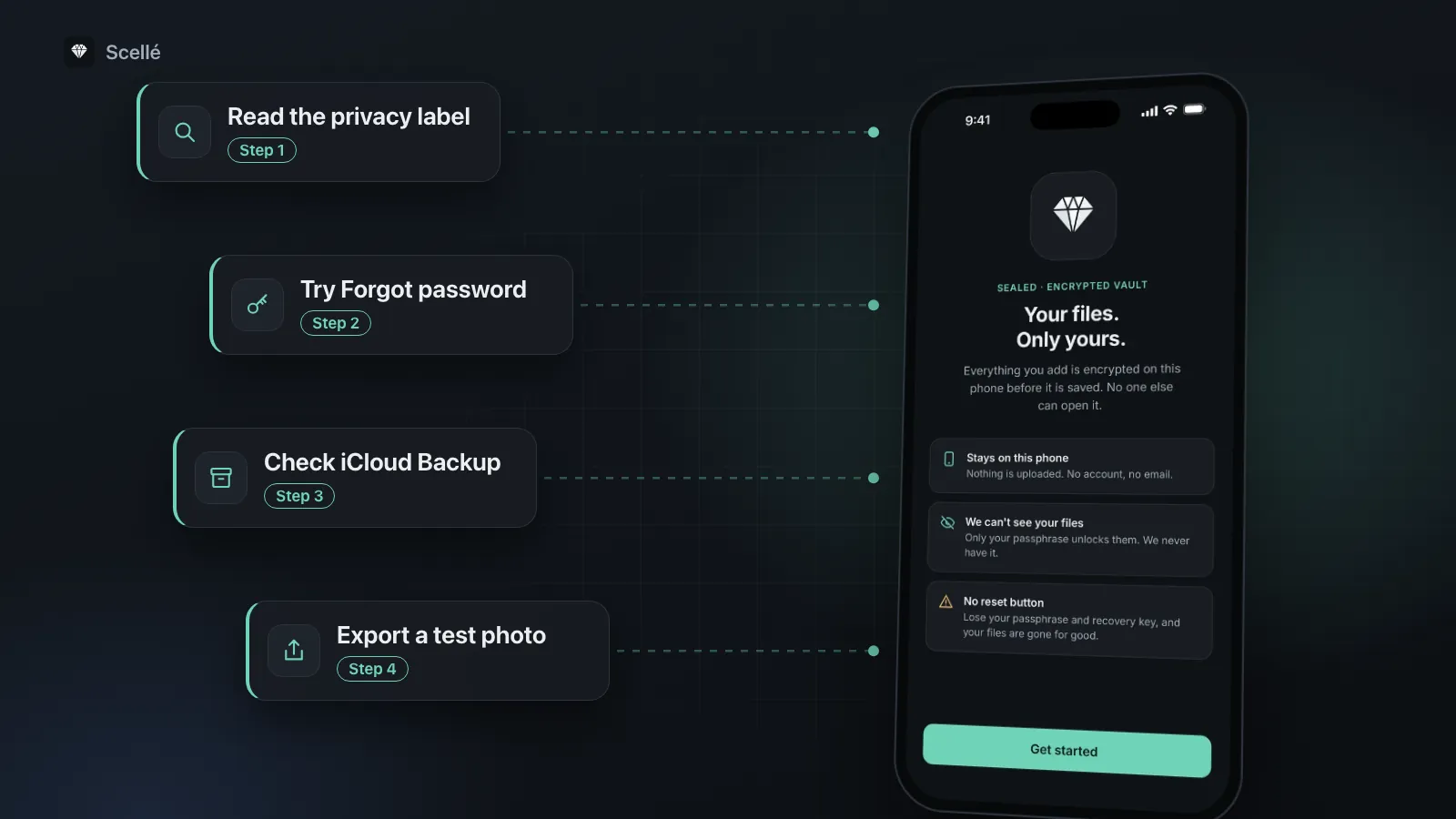
- 1Read the privacy labelTracking, and whether photos are collected
- 2Try Forgot passwordAn email reset means someone else can get in
- 3Check iCloud BackupSettings, your name, iCloud, Backups
- 4Export a test photoOpen it outside the app
- 5Delete and reinstallSee what comes back on its own
When you don't need a vault app at all
If your only worry is someone glancing at your camera roll, iOS may already be enough. The Hidden album keeps photos out of your library view and is locked by default on recent iOS versions. Apple's iPhone User Guide also lets you lock any app so it needs Face ID, Touch ID or your passcode to open, and hide downloaded apps in a Hidden folder in App Library. Apple notes that a locked app's information won't appear in places like search, notification previews and Siri suggestions.
These all rely on the iPhone's own lock, and none of them add encryption beyond what the iPhone already does. A separate vault earns its place when someone else knows your passcode, when you share a device or an Apple Account, or when you want a photo to exist on one phone only. Our guide on whether the Hidden album is private sets out where that line is.
How Scellé answers these questions
Scellé is the encrypted vault we make. Here is how it measures up on the same points, each checked against the app's code.
Encryption. Every file is encrypted on the iPhone with its own random key before it is saved, using XChaCha20-Poly1305, and names and folders are encrypted too. The passphrase is hardened with Argon2id, and the vault's key also depends on a secret held in this iPhone's Keychain, so copied vault files can't be attacked on another device.
Copies. There is no server and no account. The vault folder is marked to be left out of iCloud and computer backups. If you turn on Remove from Photos after adding, iOS asks you to confirm and keeps the originals in Recently Deleted for 30 days.
Data collection. No ads and no analytics. The only outside service handles purchases, and Scellé's privacy label lists purchase history, not linked to you.
Getting out. Export one file, a selection or a whole folder through the share sheet. Opening and exporting your files never needs our servers, and if a plan ends, your files stay readable and exportable; only adding new files needs an active plan.
Someone with your phone. Scellé has its own passphrase that your iPhone passcode doesn't open, optional Face ID or Touch ID, auto-lock when you leave the app, a growing wait after wrong passphrases, and screenshot blocking that is on by default.
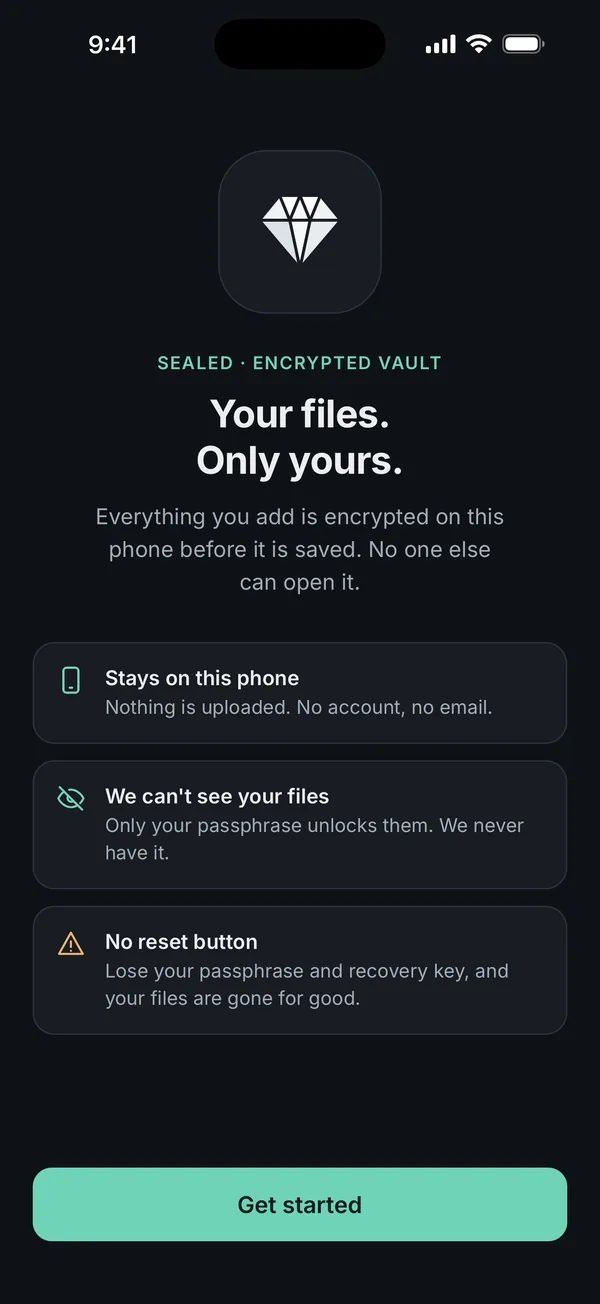
What it does not do: because nothing is uploaded, deleting Scellé or losing the phone deletes the vault, unless you made an encrypted backup file (protected by a backup password) and saved it somewhere else. That backup file opens only in Scellé, so for a copy that will outlast any app, export your photos as ordinary files from time to time. If you lose both your passphrase and your recovery key, nobody can open the vault, including us. Scellé is iPhone only and paid, at $1.49 a week or $49.99 once (US prices, local price shown in the app). The encryption page has more detail.
Frequently asked questions
Can a photo vault app steal my photos?
An app can only send your photos somewhere if it uploads them, and many vaults do so on purpose for backup. Check the App Privacy section on its App Store page: Photos or Videos under Data Linked to You means the developer says it collects them. A vault that keeps photos only on the phone has nothing to declare there.
Are free photo vault apps safe?
Free isn't unsafe by itself, but it changes how the app pays for itself. Several free vaults carry ads, and their privacy labels list data used to track you. That doesn't mean anyone sees your photos, but it does mean data about how you use the app is shared. Read the label before you decide.
Can Apple see the photos in a vault app?
That depends on whether the vault's files reach iCloud. If they are in your iCloud Backup and your account uses Apple's default Standard Data Protection, Apple holds the keys to that backup. With Advanced Data Protection on, it doesn't. And a vault that encrypts its files with your own password keeps them unreadable without it, wherever a copy ends up.
Is a vault app safer than the Hidden album?
Only if it encrypts. The Hidden album keeps photos in your library, unlocks with Face ID or Touch ID, and with iCloud Photos on, they stay hidden on your other devices too, so they sync. A vault that encrypts with its own password adds a lock your passcode doesn't open. A vault that only shows a PIN screen in front of ordinary files adds less than it seems.
What happens to my vault if I get a new iPhone?
It depends on the app. A cloud-backed vault usually reappears when you sign in on the new phone. A vault that keeps everything on one iPhone has to be moved by you, usually with an export or a backup file, before you erase the old phone. Check how your app does it before you upgrade.
How do I know if a vault app has been abandoned?
Open its App Store page and look at Version History. An app with no update in a year or more may not keep up with new iOS versions. Then make sure you can still export your photos, and move them out while the app still works rather than waiting for it to stop.
Summary
- A safe vault encrypts your photos with a key only you hold. A PIN screen or a disguise alone is not enough.
- Know every copy: the vault's cloud, your iCloud Backup and the originals in Photos.
- Read the App Privacy section for tracking, and for whether photos are collected.
- Before you delete any vault app, export your photos and check that they open.
Sources
- Apple Developer: App privacy details on the App Store
- Apple Support: What does iCloud back up?
- Apple Support: Manage your iCloud storage (choose which apps to back up)
- Apple Support: iCloud data security overview
- iPhone User Guide: Remove or delete apps from iPhone
- iPhone User Guide: Lock or hide an app on iPhone