Passphrase, PIN or Face ID: What Really Protects a Vault App?
The passphrase is the key. Face ID is only a shortcut to it.
Published November 11, 2026 · Updated November 12, 2026

In a vault that really encrypts, the passphrase is the key and Face ID is only a shortcut to it on your own phone. A 4 or 6-digit PIN has so few combinations that it can be guessed quickly by anyone who can test guesses against a copy of the data. A long passphrase, run through a deliberately slow key-derivation method, makes each guess expensive.
Three ways in, and only one is the key
When you set up a vault app, it usually offers you a few ways to open it: a PIN, a passphrase, Face ID or Touch ID, and sometimes a pattern. They feel interchangeable, because each one gets you to the same screen. They are not. In a vault that really encrypts your files, one of them is the secret the encryption is built on, and the others are shortcuts that unlock a stored copy of the key.
Knowing which is which tells you where to put your effort. This guide explains what each option does, why length beats cleverness, how to choose a passphrase you will still remember next year, and when Face ID is a sensible shortcut.
What each option really does
| Option | What it is | Good against | Weak against |
|---|---|---|---|
| Short PIN (4 to 6 digits) | A number, quick to type | A casual try at the lock screen, if the app slows down wrong guesses | Anyone who can test guesses against a copy of the data, and anyone watching |
| Long passphrase | Several words or many characters you remember | Guessing of every kind | Being forgotten, or watched as you type |
| Face ID or Touch ID | A shortcut: iOS releases a stored key after a match | People watching you, since there is nothing to see | Someone who can hold the phone up to your face |
| Unlock pattern | A shape drawn on a grid of dots | Speed | Watching, and the small number of possible shapes |
The pattern is the important detail behind Face ID. A well-built app doesn't use your face as the encryption key. Apple says Face ID data never leaves your device and is never available to apps. Instead, the app stores a key in the iPhone's Keychain with a rule that iOS only hands it over after a successful face or fingerprint match. Apple's security guide also describes an option that ties the item to the faces or fingers enrolled when it was saved, so someone who adds their own fingerprint can't use it.
Why a long passphrase beats a short PIN
There are two very different ways someone can try to guess your secret, and they need different defenses.
Guessing at the lock screen
This is someone holding your phone and typing guesses. Delays stop it. Your iPhone does this itself: after repeated wrong passcodes, Apple's security guide lists waits of 1 minute, then 5, 15 and 60 minutes, and longer after that, enforced by the Secure Enclave. A good vault app adds its own growing wait, so even a short PIN survives a few minutes with a curious person.
Guessing against a copy
This is someone who has copied the encrypted data and tries guesses directly against it, with no lock screen in the way. Here only two things matter: how many possible secrets there are, and how long each guess takes. The numbers are stark:
| Secret | Possible combinations | Time to try all, at one guess per second |
|---|---|---|
| 4-digit PIN | 10,000 | Under 3 hours |
| 6-digit PIN | 1,000,000 | About 12 days |
| 4 random words from a 2,048-word list | About 17.6 trillion | Over 500,000 years |
| 6 random words from a 2,048-word list | About 74 quintillion | Trillions of years |
One guess per second is an assumption for illustration. An attacker with many machines divides these times, which is exactly why a PIN fails and a long passphrase doesn't. The second lever is making each guess slow. Apple tunes iPhone passcode checks so one attempt takes about 80 milliseconds and must run on the device itself, and says that trying every six-character passcode of lowercase letters and numbers would then take more than five and a half years. Vault apps can do something similar with a password-hashing method such as Argon2id, which makes every guess cost real time and memory.
How to choose a passphrase you'll remember
The best passphrase is random and still easy to type. Random words give you both.
- Pick five or six words at random. Use a generator, dice or a book opened at random pages. Words you choose yourself tend to be related, which makes them easier to guess.
- Keep them in the order they came. Add spaces between them if the app allows. Don't swap letters for symbols: it makes typing harder and adds little.
- Don't reuse anything. Not a password from another account, not your iPhone passcode, not a song line, name or date.
- Write it down once, on paper. Keep it with your recovery key, somewhere safe away from the phone, until you know it by heart. Never in Notes, Photos or email on the same phone.
- Type it every day for a week. Even if you plan to use Face ID, typing it builds the memory you'll need on the day Face ID isn't available.
- Then turn on Face ID if you want it. The passphrase stays the real key behind it.
Make your iPhone passcode stronger too
Your iPhone passcode protects everything outside the vault. Apple's iPhone User Guide calls Custom Alphanumeric Code and Custom Numeric Code the most secure options. On an iPhone with Face ID, go to Settings > Face ID & Passcode, tap Change Passcode, then tap Passcode Options. A longer passcode costs you little when Face ID does most of the unlocking.
When Face ID is a good idea, and when to skip it
Face ID makes sense for most people on their own phone. It saves you typing a long passphrase in public, where someone could watch, and it means you can choose a longer passphrase than you'd want to type ten times a day. Apple says the chance of a random person unlocking with Face ID is less than 1 in 1,000,000, that it checks your eyes are open and looking, and that after five failed matches it asks for the passcode.
Skip it, at least for the vault, if the people you're protecting files from can get close to you: Apple notes the odds are higher for twins, look-alike siblings and children under 13, and recommends a passcode if that concerns you. Skip it, too, if anyone could hold the phone up to your face against your will. A passphrase in your head can't be taken that way.
Mistakes that undo a good passphrase
- Using your iPhone passcode for the vault. The one secret strangers see you type every day would then open both locks.
- Saving it on the same phone. A passphrase in Notes or a screenshot sits right next to the vault it protects.
- Never typing it. With Face ID on, months can pass without typing it, and that's how people forget.
- Skipping the recovery key. In a vault with no back door, a forgotten passphrase and no recovery key means the files are gone. Read what happens if you forget a vault passphrase before it happens.
- Trusting a PIN screen. If a vault only asks for 4 digits, check whether it encrypts at all. Our six checks for vault apps explain how.
How Scellé handles the passphrase, Face ID and patterns
Scellé is our app. Here is how it applies all of the above, checked against its code:
- The passphrase is the key. Scellé asks for at least 12 characters and won't accept one its strength meter rates as weak. "Make one for me" picks six random words from a 2,048-word list on the phone.
- Each guess is slow. Your passphrase goes through Argon2id with 3 passes over 64 MiB of memory, which takes up to about a second on a recent iPhone.
- It's tied to this iPhone. The result is combined with a secret in this iPhone's Keychain that is never backed up, so a copy of the vault files can't be attacked on a computer without it.
- Your iPhone passcode doesn't open it. Scellé has its own passphrase.
- Face ID is optional and off until you turn it on, which needs your current passphrase. iOS releases its key only after a face or fingerprint match, not your iPhone passcode. If the enrolled faces or fingers change, Face ID unlock switches off and Scellé asks for the passphrase.
- Patterns are a quick unlock only. They're drawn on a 4 by 4 grid with at least 6 dots. After 5 wrong attempts, only the passphrase opens the vault.
- Wrong guesses cost time. After 5 wrong tries, Scellé makes you wait 30 seconds, then 1, 5 and 15 minutes, then an hour for each further try. The count is kept in the Keychain, so reinstalling the app doesn't reset it.
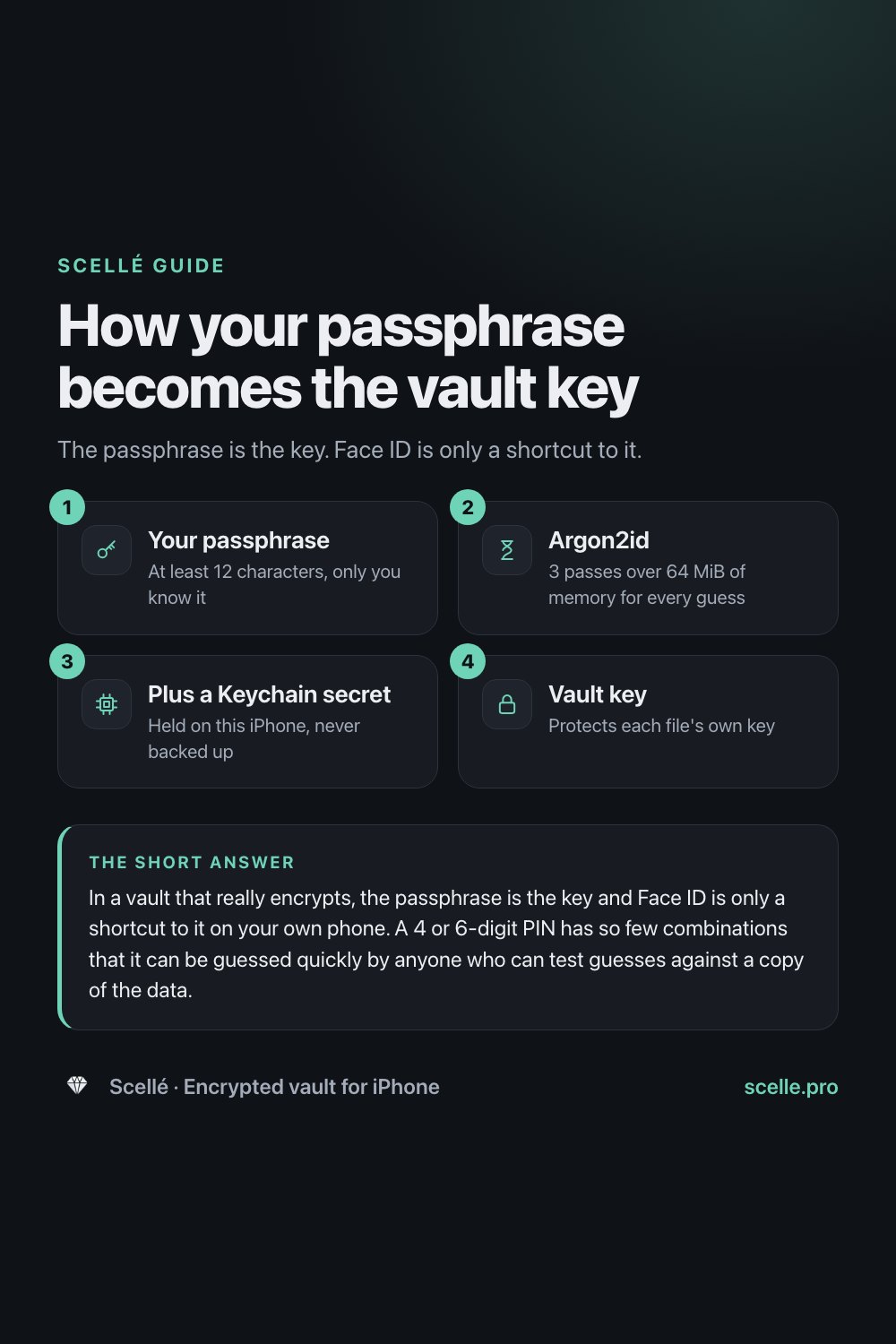
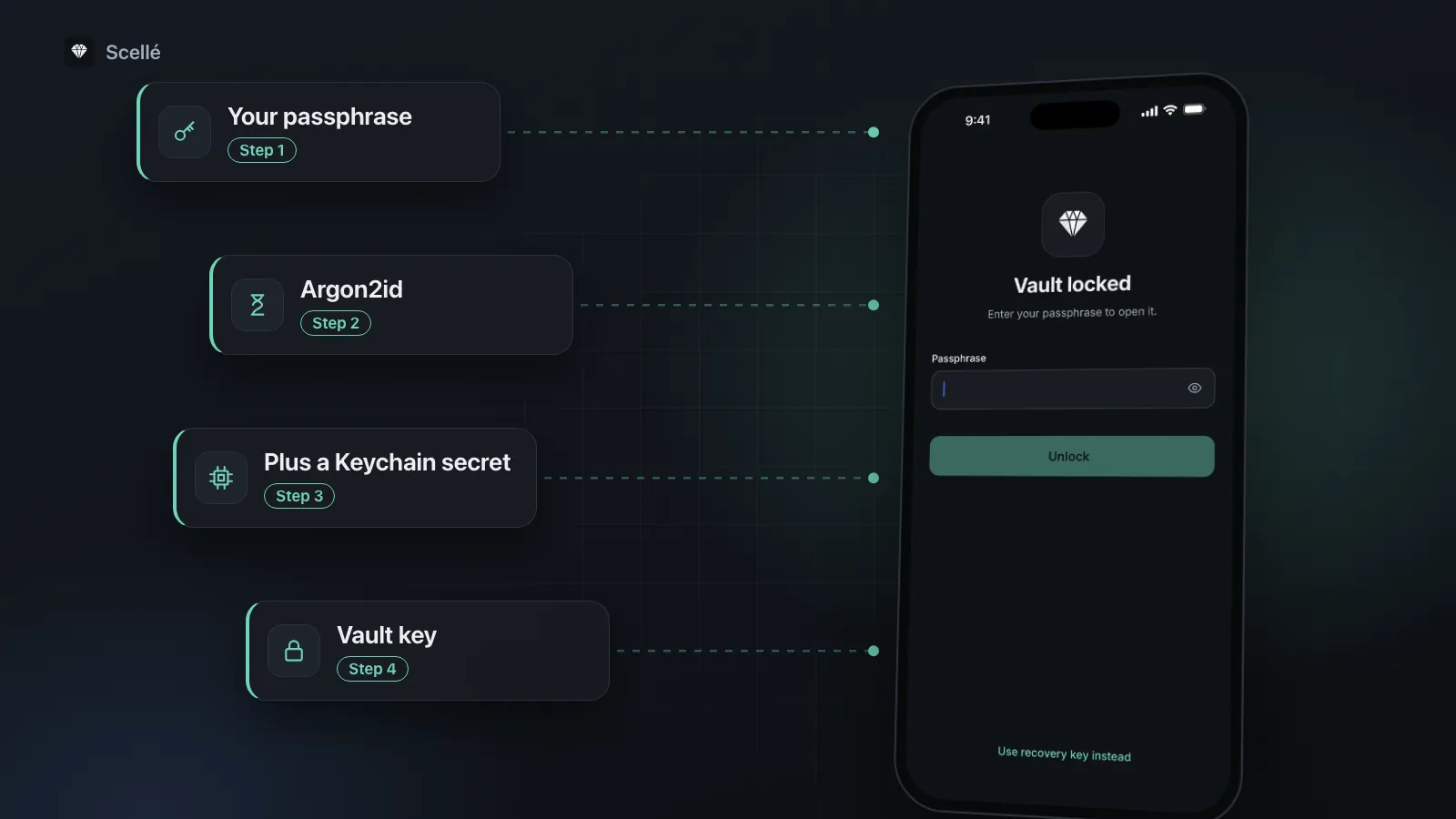
- 1Your passphraseAt least 12 characters, only you know it
- 2Argon2id3 passes over 64 MiB of memory for every guess
- 3Plus a Keychain secretHeld on this iPhone, never backed up
- 4Vault keyProtects each file's own key
None of this makes a weak passphrase strong. It raises the cost of every guess, and your passphrase decides how many guesses there are. More detail is on locking and protection and the recovery key pages.
Frequently asked questions
Is Face ID safer than typing a passcode?
It is safer against someone watching you, because there is nothing to see. Apple puts the chance of a random person unlocking with Face ID at less than 1 in 1,000,000. It is weaker against someone who can hold the phone up to your face, and Apple says the odds are higher for twins, look-alike siblings and children under 13.
How long should a vault passphrase be?
Long enough that it can't be guessed, short enough that you never forget it. Five or six random words, chosen by a coin, dice or a generator rather than by you, is a good target. Each extra random word multiplies the number of possibilities by the size of the word list, which matters far more than adding a symbol.
Should my vault passphrase be different from my iPhone passcode?
Yes. Your iPhone passcode is the secret you type most often in front of other people, and it already unlocks everything else on the phone. If the vault used the same secret, anyone who learned your passcode would get the vault too. A separate passphrase is what makes the vault a second lock rather than a second door.
Can someone open my vault with my face while I'm asleep?
Apple designs Face ID to be attention-aware: it checks that your eyes are open and looking at the phone, which makes this much harder. It isn't a promise for every situation. If you're worried about someone near you while you sleep, turn off Face ID for the vault and rely on the passphrase alone.
Is an unlock pattern as secure as a passphrase?
No. A pattern has far fewer possible shapes than a long passphrase has combinations, and a shape is easy to watch over someone's shoulder. Treat it as a quick unlock for convenience. A well-designed vault keeps the passphrase as the real key and stops accepting the pattern after a few wrong tries.
What if I turn on Face ID and forget my passphrase?
Face ID keeps working until something changes, such as a face or fingerprint being added or removed on the phone, or Face ID being switched off. Then you need the passphrase or a recovery key. Type the passphrase now and then so it stays in your memory, and keep a written copy somewhere safe.
Summary
- The passphrase is the key. Face ID and patterns are shortcuts to it.
- Use five or six random words, not a short PIN and not your iPhone passcode.
- Write it down once, keep it away from the phone, and type it often enough to remember it.
- Turn on Face ID for speed if nobody close to you is the person you're protecting files from.