Which Apps Can See Your iPhone Photos, and How to Check
Most apps need only the photos you pick, not your whole library.
Published November 14, 2026

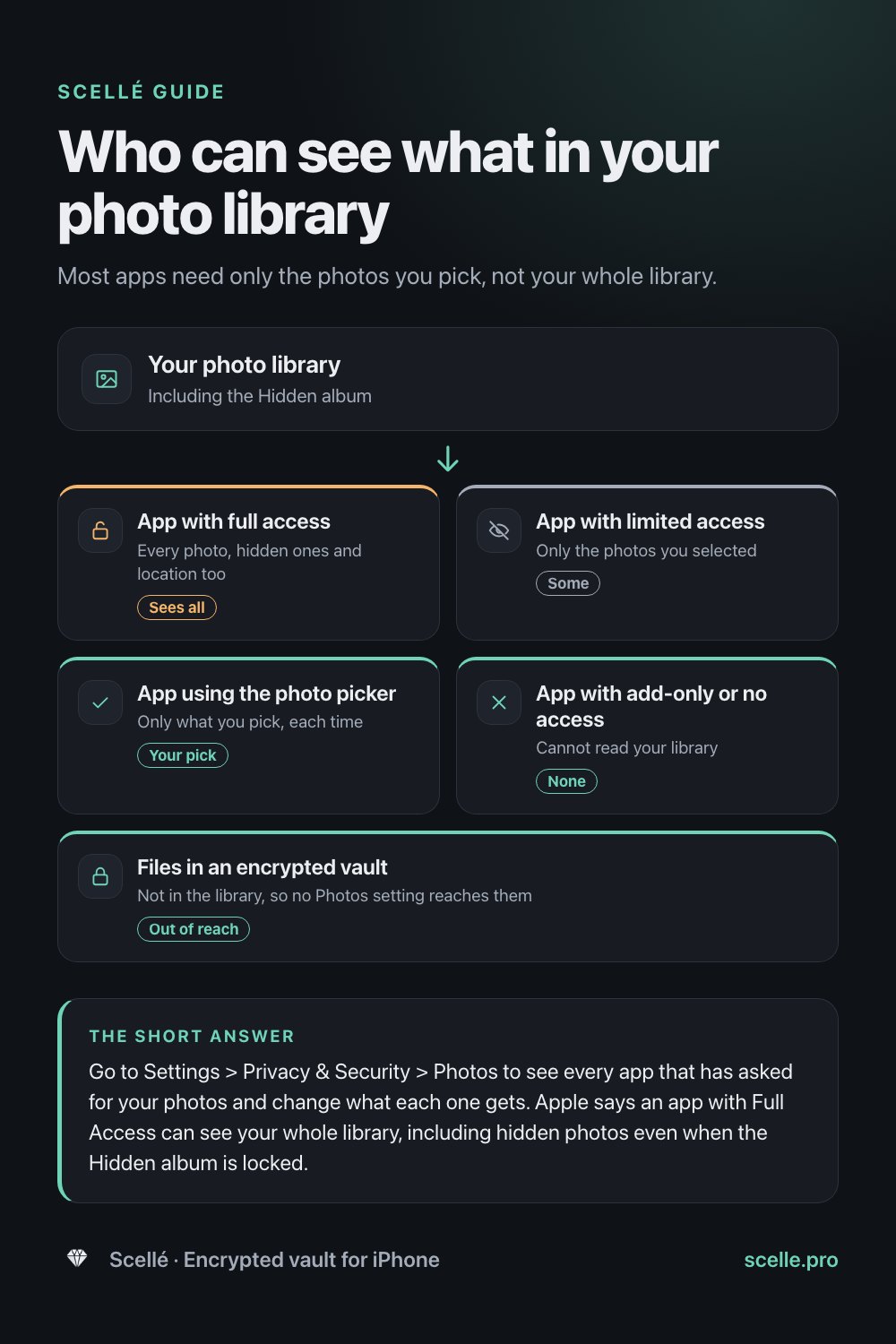
Go to Settings > Privacy & Security > Photos to see every app that has asked for your photos and change what each one gets. Apple says an app with Full Access can see your whole library, including hidden photos even when the Hidden album is locked. Limited access, or simply picking photos when an app asks, shows an app only the photos you choose.
Why this is worth checking
Every time an app asks for your photos, you make a choice that is easy to forget. A photo editor you tried once, a shopping app that wanted a picture of a receipt, a messaging app from years ago: any of them might still hold permission to your whole library. Your library is not just pictures. It includes screenshots of bank details, scans of IDs, private photos and the location where most of them were taken.
Think of it like house keys. Some people have a key to the whole house, some have a key to one room, and some you simply hand something through the door. iPhone has the same three options for photos, and you can see who holds which key in one place.
The ways an app can get your photos
Apple's developer documentation says an app may only access your Photos library if you explicitly allow it, and since iOS 14 you can share part of the library instead of all of it. That gives several levels, and they work very differently.
| Access | What the app can see | Hidden album |
|---|---|---|
| Full access | Your whole library, including metadata such as location | Included, even when the album is locked |
| Limited access | Only the photos and videos you selected, until you change the selection | Only photos you selected |
| Add-only access | Nothing: the app can save new photos to your library but not read it | Not visible |
| System photo picker | Only the items you pick each time, with no ongoing permission | Only what you pick |
| No access | Nothing in your library | Not visible |
Full access
Apple's Photos privacy page is direct about this: choosing Allow Full Access grants the third-party app access to your photos and videos, including your hidden photos, even if the album is locked. It adds that access to photos includes associated metadata, such as location and depth information. So an app with full access can know where and when most of your pictures were taken.
Limited access
When an app asks for library access, you can choose Limit Access instead and select which photos and videos it may see. Apple's developer documentation says the app can then reach only those items. Photos the app saves itself are added to its selection automatically, and iOS may occasionally ask whether you want to change the selection. That is the pop-up some apps trigger when you open them.
The photo picker, with no access at all
Many apps never ask for permission. They show the system photo picker, the screen that looks like the Photos app, and receive only what you tap. Apple's developer documentation says this picker runs in a separate process and is private by default, so the app does not need permission to your library. For most tasks, like attaching a picture to a message or a form, that is all an app needs.
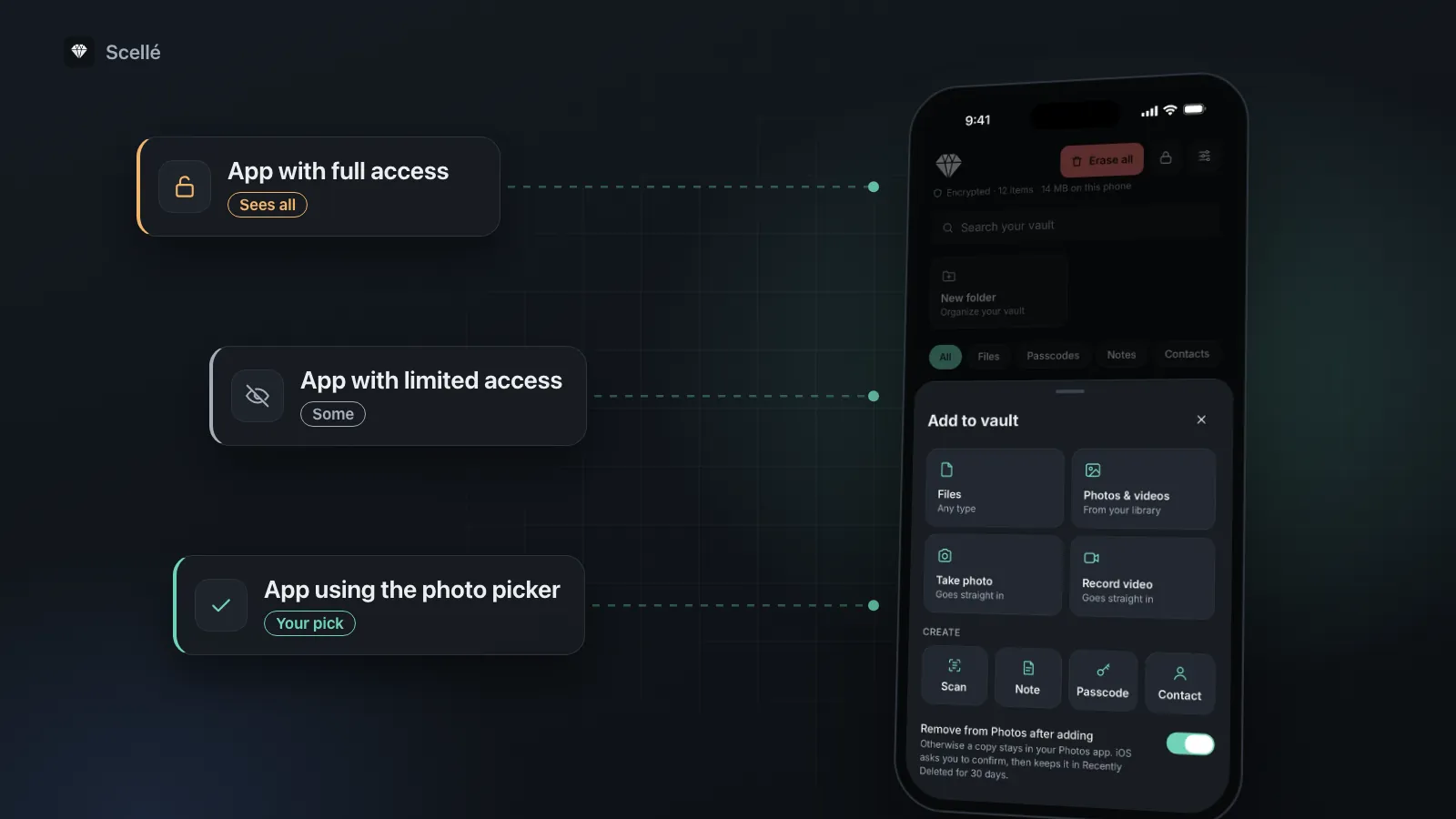
- App with full accessEvery photo, hidden ones and location tooSees all
- App with limited accessOnly the photos you selectedSome
- App using the photo pickerOnly what you pick, each timeYour pick
- App with add-only or no accessCannot read your libraryNone
- Files in an encrypted vaultNot in the library, so no Photos setting reaches themOut of reach
How to check which apps can see your photos
This takes a few minutes and is worth repeating every few months, or after someone else has used your phone. Apple's personal safety guide suggests reviewing these settings if someone else set up your device or knows your passcode.
- Open Settings, tap Privacy & Security, then tap Photos. You see every app that has asked for access to your photos.
- Read down the list and look for apps with full access. Ask of each one: does this app really need every photo I own?
- Tap an app to change its access. Choose limited access to pick the photos it may see, or turn access off. Apple's guide notes that for photos you can change the access you gave, not just switch it on or off.
- Go back to Privacy & Security, tap App Privacy Report, and turn it on. Apple says it starts collecting only from then, and shows the last 7 days.
- After a few days, open the report to see how often each app used its permissions, and its network activity.
Worth knowing
An app is listed only after it has asked for access. An app that is missing from the list has not been given a key to your library; at most it received the photos you picked for it.
Mistakes that leave photos exposed
- Trusting the Hidden album lock. Face ID on the Hidden album keeps people out of the Photos app. It does nothing against an app with full access, as Apple's own privacy page says. More on that in is the Hidden album private.
- Forgetting old apps. Apple's developer documentation says iOS remembers your choice and won't ask again, so permission stays until you change it. Apps you no longer use are the easiest ones to cut back or delete.
- Granting full access to get past a prompt. If an app only needs one picture, limited access or the picker does the job.
- Thinking of photos only as pictures. Screenshots of codes, scans of documents and photos of cards live in the same library, and full access covers them too.
- Other devices. With iCloud Photos on, the same library sits on your iPad and Mac, each with its own apps and permissions. See where a hidden photo still goes.
When privacy settings are enough, and when they are not
For most people, cutting apps back to limited access or the picker is the main fix, and it costs nothing. If you trust the apps you have kept, and nobody else uses your phone, your library is in reasonable shape.
Settings have limits, though. They control apps, not people: anyone who can unlock your phone can open Photos. And a photo that stays in the library is one wrong tap away from full access the next time an app asks. For a small set of truly private photos or document scans, the simplest answer is to take them out of the photo library entirely.
Files in an encrypted vault are outside all of this
Photo permissions only cover the Photos library. Apple's platform security guide explains that every third-party app is sandboxed: each has its own folder for its files, and the sandbox is designed to stop apps from reading information stored by other apps. A file kept inside a vault app's own storage is therefore not in your photo library at all, so no Photos permission, full or otherwise, reaches it.
Two conditions make that worthwhile. The file has to be encrypted, so it stays unreadable even outside the app; our guide to checking whether a vault really encrypts explains how to tell. And the original has to leave Photos, including Recently Deleted, or the library still holds a copy. See how to move photos to a vault and remove every copy.
How Scellé handles photo access
Scellé is an encrypted vault for iPhone. Here is what it asks for and why, checked against the app's code.
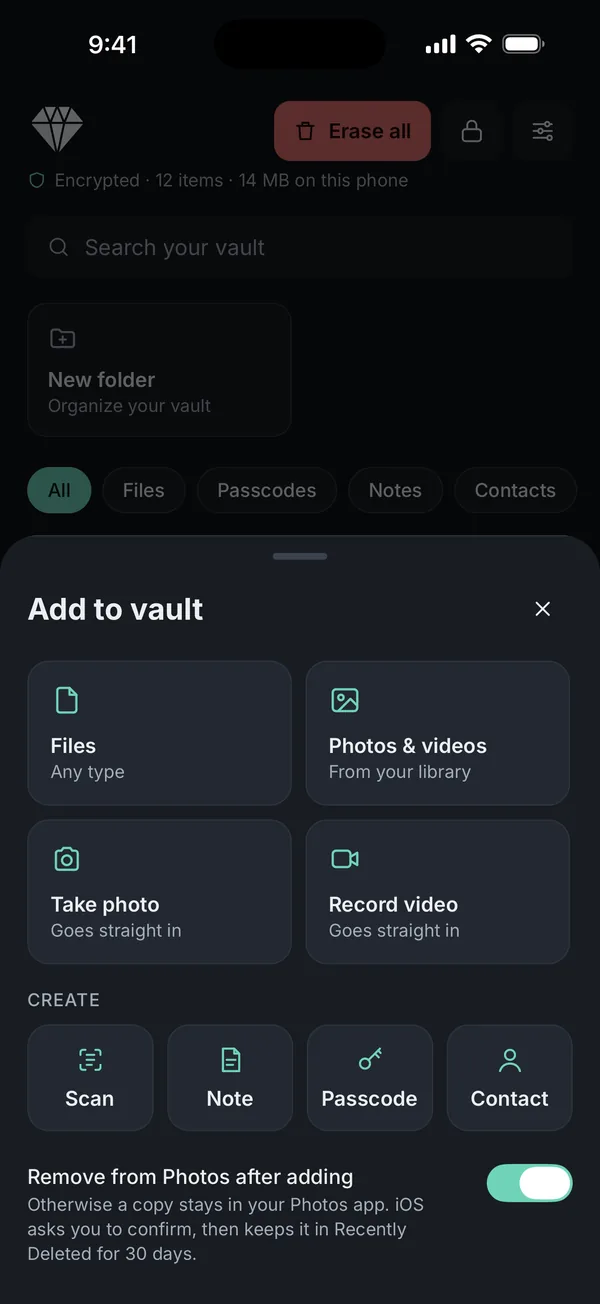
Adding photos uses the picker. When you tap Photos & videos, Scellé opens the system photo picker and receives only the items you choose. It does not need access to your library to do that.
Library access only to remove originals. If Remove from Photos after adding is on, Scellé asks for photo library access so it can delete the originals you just added, and iOS shows its own confirmation first. Deleted originals go to Recently Deleted for 30 days. If you decline, Scellé tells you the originals were kept, and your vault copies are unaffected.
Its camera skips the library. Photos and videos taken with Take photo or Record video, and documents from Scan, go straight into the vault and never into Photos.
Encrypted on the phone. Each file is encrypted with its own key before it is saved, names and dates included, and the vault opens with its own passphrase. There is no account and no upload. The encryption page and on-device encryption explained go into detail.
What it does not do: Scellé can't change what other apps already copied from your library, and it does not review your Photos permissions for you. Moving a photo into Scellé doesn't reach copies in old backups or copies you sent. Scellé costs $1.49 a week or $49.99 once (US prices, local price shown in the app) and works on iPhone only.
Frequently asked questions
Can an app see my Hidden album?
Yes, if it has full access. Apple's Photos privacy page says that choosing Allow Full Access grants a third-party app access to your photos and videos, including your hidden photos, even if the album is locked. The lock on the Hidden album protects it inside the Photos app. It does not stop an app you gave full access from reading those photos.
What is the difference between limited access and picking photos?
Limited access is a standing permission: the app can keep using the set of photos you selected until you change it. Picking photos in the system photo picker is a one-time hand-over. Apple's developer documentation says the picker runs in a separate process and is private by default, so the app gets only what you pick and does not need permission to your library.
Does an app with limited access see new photos I take?
Not unless you add them to its selection. Apple's developer documentation says photos the app itself saves are added to its selection automatically, and that iOS may prompt you to update the selection. Everything else stays out. You can change your choice any time in Settings > Privacy & Security > Photos.
Why isn't an app in the Photos list in Settings?
Apple says an app does not appear on the list until it asks for permission. Many apps never ask, because they use the system photo picker, which needs no permission to your library. If an app lets you choose photos but is missing from the list, it most likely received only the photos you picked.
Can an app upload my photos once it has access?
iOS controls which photos an app can read, not what the app does with them afterwards. That depends on the app and its privacy policy. Apple's App Privacy Report shows how often each app used its permissions and lists its network activity, which helps you spot an app that reads your photos more than you expect.
Does Scellé need access to my photo library?
Not to add photos. Scellé uses the system photo picker, so it receives only the photos you choose. It asks for photo library access only to remove the originals after adding them, if that option is on, and iOS shows its own confirmation before deleting. If you say no, the originals stay in Photos and your vault copies are unaffected.
Summary
- Settings > Privacy & Security > Photos lists every app that asked for your photos and what each one has.
- Full access means everything, including hidden photos in a locked album and where they were taken.
- Limited access or the photo picker is enough for most apps.
- Photos kept in an encrypted vault are outside the library, so no Photos permission reaches them.
Sources
- Apple Legal: Photos & Privacy
- iPhone User Guide: Control access to information in apps
- Apple Personal Safety User Guide: App privacy features in Apple products
- Apple Developer: Delivering an enhanced privacy experience in your photos app
- Apple Platform Security: Security of runtime process in iOS, iPadOS, and visionOS