End-to-End Encryption for Photos: Which Services Use It
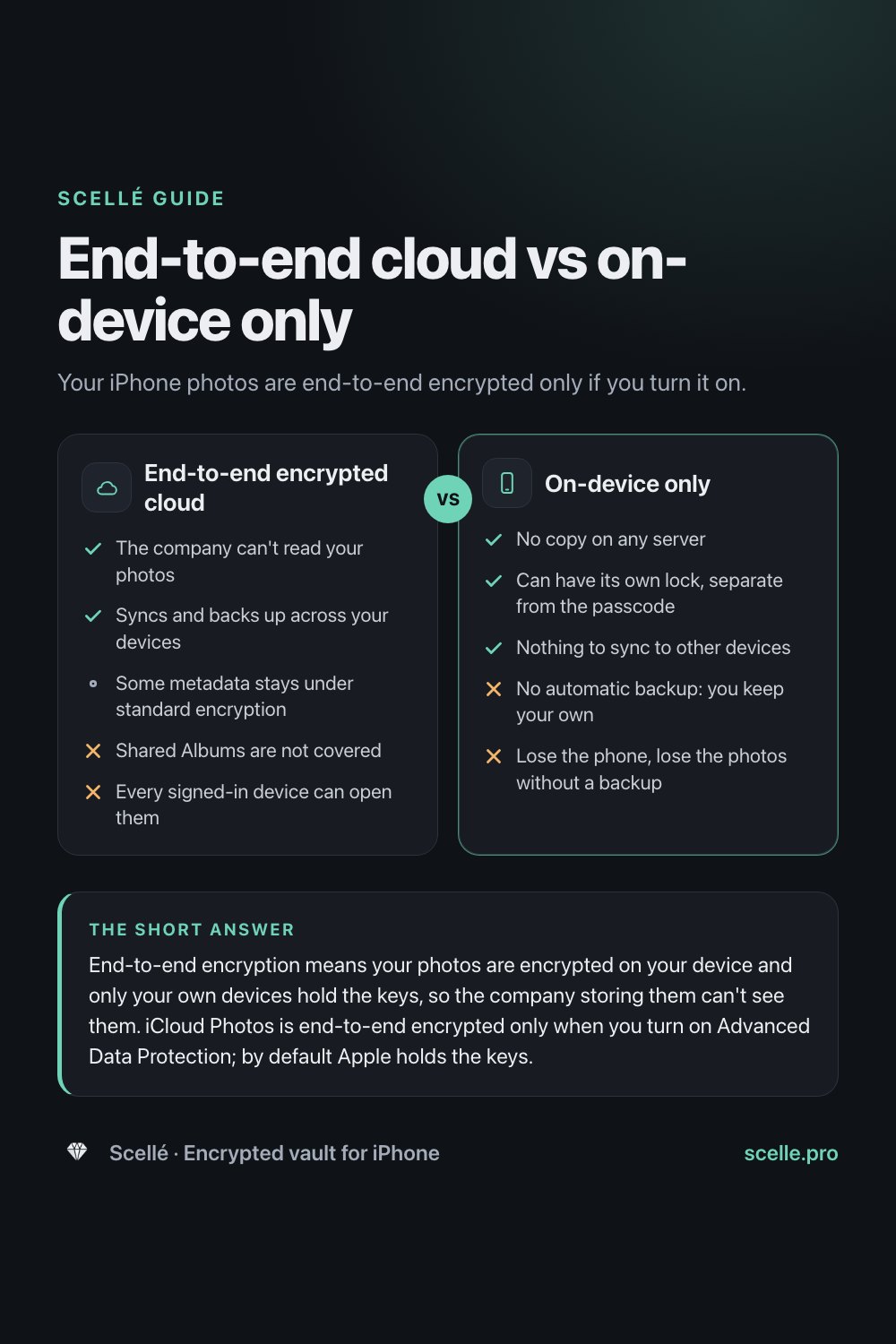
Your iPhone photos are end-to-end encrypted only if you turn it on.
Published November 14, 2026

End-to-end encryption means your photos are encrypted on your device and only your own devices hold the keys, so the company storing them can't see them. iCloud Photos is end-to-end encrypted only when you turn on Advanced Data Protection; by default Apple holds the keys. Even then, some metadata, Shared Albums and anything on an unlocked device stay outside that protection.
What end-to-end encryption means for photos
When a photo leaves your phone for the cloud, it is almost always encrypted on the way. The question that matters is who can unlock it once it arrives. With end-to-end encryption, the answer is only your own devices. The photo is scrambled on your iPhone, stored scrambled on the company's servers, and unscrambled again only on devices signed in to your account.
Picture a courier carrying a locked box between your homes. The courier stores it overnight and moves it around, but has no key. With ordinary cloud encryption, the courier also keeps a spare key in the office, in case you lose yours. That spare is convenient for recovery, and it also means the courier could open the box.
This guide covers which photo services work the first way, what end-to-end encryption still leaves exposed, and how keeping photos only on your phone is different again.
Which photo services are end-to-end encrypted, and when
For iPhone users, the main answer comes from Apple's iCloud data security overview. Apple offers two settings. Standard data protection is the default: your iCloud data is encrypted in transit and on the server, and the keys are kept in Apple data centers so Apple can help you recover it. Advanced Data Protection is optional, and with it your trusted devices keep sole access to the keys for most of your iCloud data, Photos included.
| Where the photo is | End-to-end encrypted? | Who holds the keys |
|---|---|---|
| iCloud Photos, standard data protection (the default) | No | Apple |
| iCloud Photos, Advanced Data Protection on | Yes | Your trusted devices |
| iCloud Backup that includes photos | Only with Advanced Data Protection | Apple by default, your devices with it on |
| iCloud Shared Photo Library | Yes, if every participant has Advanced Data Protection on | Participants' devices |
| Shared Albums in Photos | No, even with Advanced Data Protection | Apple |
| A photo sent in iMessage | Yes, in transit between you and the recipient | Sender's and receiver's devices |
| Google Photos | Not described as end-to-end by Google | Not stated on Google's Photos safety page |
A few details from Apple's pages are easy to miss. Apple says Shared Albums do not support Advanced Data Protection because albums can be shared publicly on the web, so photos added to them are stored with standard data protection. In the United Kingdom, Apple says it can no longer offer Advanced Data Protection to new users, so for UK users who haven't already turned it on, Photos stays under standard data protection. And if your iCloud Photos is off, your library can end up in iCloud Backup instead, which follows the same two settings. Our guide to hidden photos and iCloud sync traces where a photo goes in each setup.
For any other service, read its own security documentation. Google's Safety Center page for Photos, for example, describes HTTPS and encryption at rest. If a provider doesn't say "end-to-end", assume it isn't.
How to check your own photos
These steps take a minute and tell you which row of the table applies to you.
- Open Settings, tap your name, then tap iCloud.
- Scroll down to Advanced Data Protection. If it says Off, your iCloud photos are encrypted with keys Apple holds.
- In the same iCloud screen, under Saved to iCloud, tap Photos and see whether Sync this iPhone is on. If it is off, check iCloud Backup, which may hold your library instead.
- Open the Photos app, tap Collections and look under Shared Albums. Anything in a shared album is outside end-to-end encryption.
- If you use a Shared Library, ask the other participants whether they have Advanced Data Protection on. Apple's protection for shared content depends on all of them.
What end-to-end encryption protects
- A breach at the provider. Apple says end-to-end encrypted data remains secure even in the case of a data breach in the cloud, because the keys are not on its servers.
- Access by the company. Apple says no one else can access end-to-end encrypted data, not even Apple.
- Photos in transit. The photo is already scrambled before it leaves your phone.
It also changes recovery. With Advanced Data Protection on, Apple no longer has the keys to help you, so you need your device passcode, a recovery contact or a recovery key if you lose access to your account.
What it does not protect
Metadata Apple still holds
Apple lists details that stay under standard encryption even with Advanced Data Protection on. For Photos, that includes a checksum of each photo or video, whether an item is marked as a favorite, hidden or deleted, when it was created and imported, and how many times it has been viewed. Apple uses these to sort and de-duplicate your storage. Apple also says a title and a representative thumbnail may be stored with standard protection when you share something, to show a preview.
Information inside the photo
A photo carries its own details, such as the date and the location where it was taken. Encryption protects the file in the cloud, but anyone you share it with may be able to read where it was taken. Apple's personal safety guide shows how to remove location from a photo, or stop the Camera from recording it in Settings, then Privacy & Security, then Location Services, then Camera.
Every device you are signed in to
End-to-end means the ends are your devices. Every iPhone, iPad and Mac signed in to your Apple Account can decrypt your library. If someone else uses one of them, or knows its passcode, the encryption does not stand in their way. The Hidden album guide covers who can open what on a shared device.
Copies that leave your library
Shared Albums, "anyone with the link" sharing, photos you send and photos other people save all live outside your protection.
Worth knowing
End-to-end encryption decides who can read your photos on the server. It does not decide who can pick up your unlocked phone.
How on-device-only storage differs
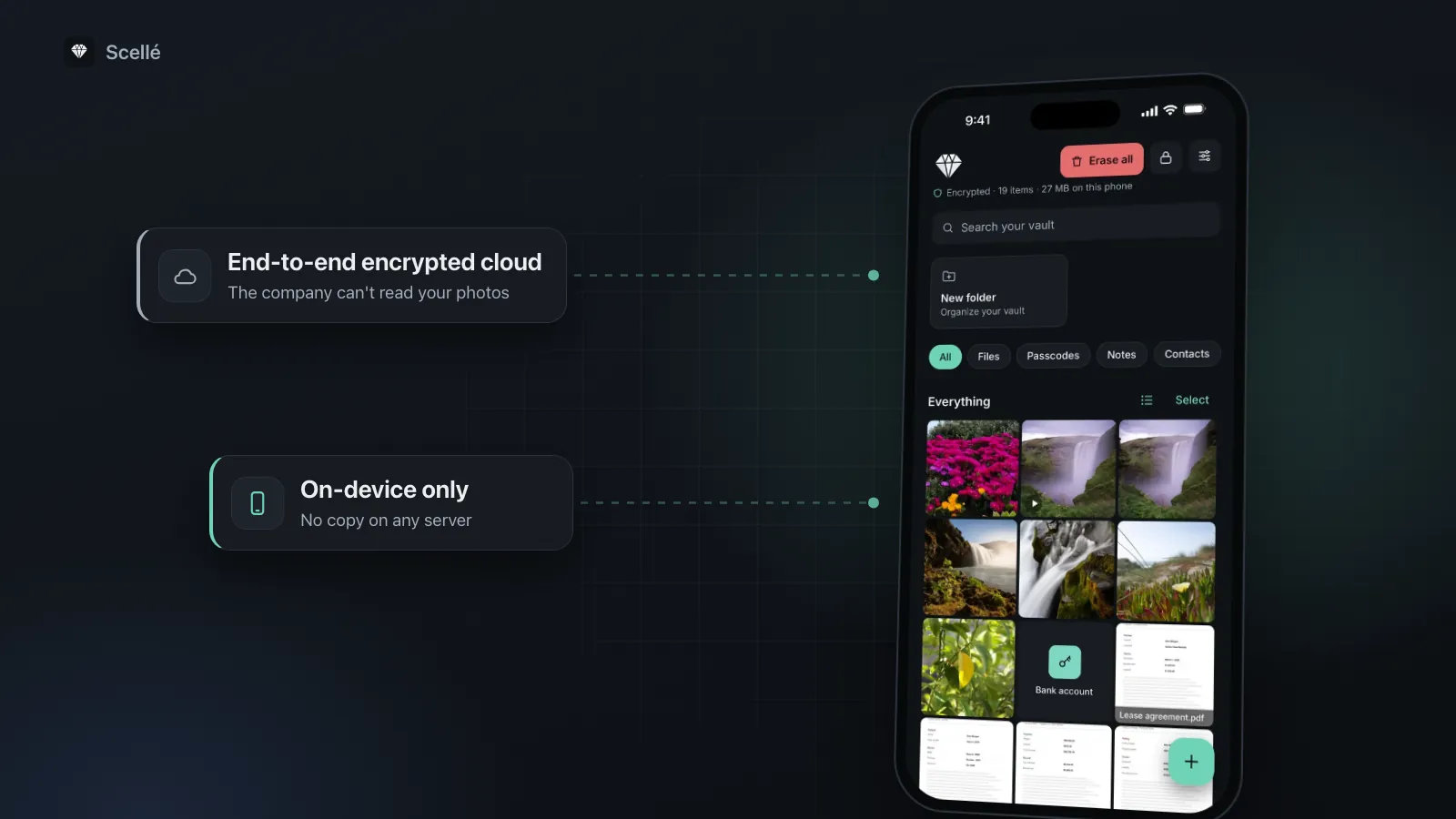
End-to-end encryption still sends your photos to a server, just in a form the company can't read. On-device storage keeps them off every server. The photo is encrypted on the phone and never uploaded, so there is no cloud copy to protect, breach or share by accident.
End-to-end encrypted cloud
- Yes: The company can't read your photos
- Yes: Syncs and backs up across your devices
- Some metadata stays under standard encryption
- No: Shared Albums are not covered
- No: Every signed-in device can open them
On-device only
- Yes: No copy on any server
- Yes: Can have its own lock, separate from the passcode
- Yes: Nothing to sync to other devices
- No: No automatic backup: you keep your own
- No: Lose the phone, lose the photos without a backup
The trade-off is backup. A cloud library survives a lost phone. An on-device vault survives only if you make a backup yourself. Our on-device encryption guide walks through what happens to a file in that model, and a vault with no account covers what you give up.
Which one makes sense for you
For most people, turning on Advanced Data Protection is the biggest single step for photo privacy. It keeps your whole library backed up and synced, and takes the keys away from Apple. If you have no reason to keep a photo on one phone only, that is a sensible place to stop.
On-device storage makes sense for the few photos that should not be on your other devices or in any cloud at all: ID scans, medical photos, private pictures, or anything on a phone that other people use. You can do both: Advanced Data Protection for the library, and a vault for the handful of photos that need more. Our guide to moving photos into a vault covers removing every copy.
Where Scellé fits
Scellé is our encrypted vault for iPhone, and it is the on-device kind. A photo you add is encrypted on the phone with its own random key before it is saved, and nothing is uploaded: there is no account, no server and no sync. The vault folder is excluded from iCloud and computer backups, so it doesn't reach iCloud Backup either. Photos and videos you take with the camera inside Scellé go straight into the vault and never touch your photo library. When you import from Photos, Scellé can ask iOS to delete the originals, and iOS asks you to confirm.
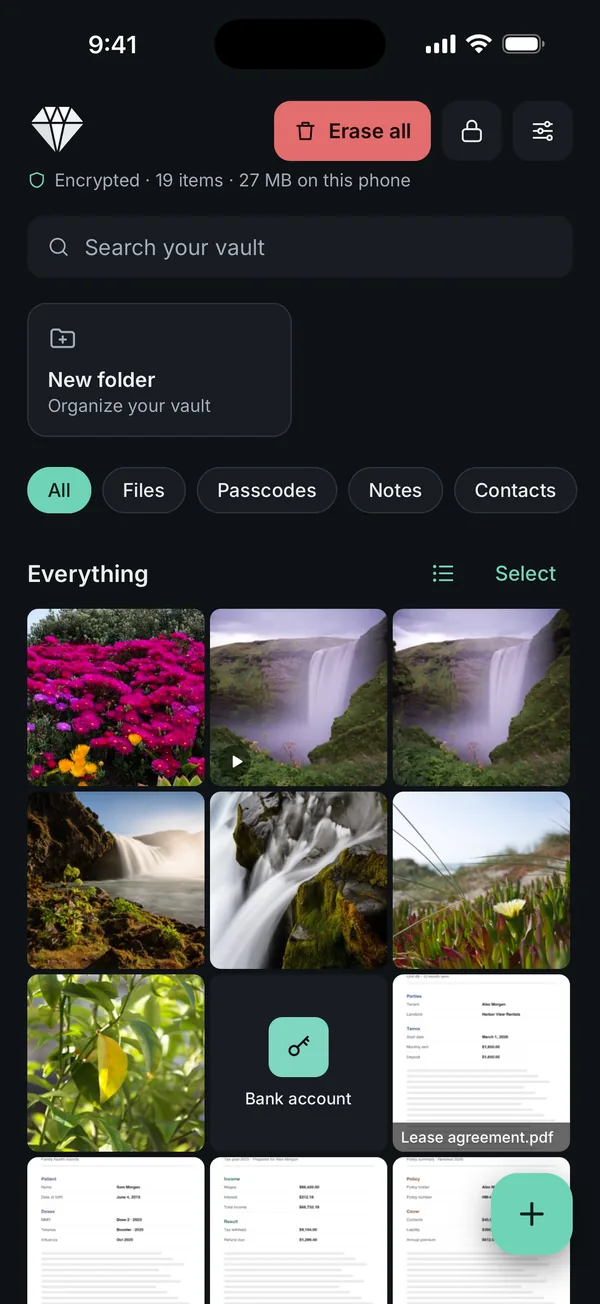
What it does not do: it doesn't sync to an iPad or Mac, and it can't reach copies already in iCloud, in shared albums or in other people's messages. For a copy off the phone, Scellé makes an encrypted backup file, protected by a backup password, that you save where you choose. Scellé costs $1.49 a week or $49.99 once (US prices, local price shown in the app). Details are on the encryption page.
Frequently asked questions
Are my iPhone photos end-to-end encrypted by default?
No. iCloud Photos uses standard data protection unless you change it. Your photos are encrypted in transit and on Apple's servers, but Apple keeps the keys so it can help you recover your data. They become end-to-end encrypted only when you turn on Advanced Data Protection in Settings, under your name, then iCloud.
Does Advanced Data Protection protect photos already in iCloud?
Yes. Apple's security guide says that when you turn it on, your device has the keys Apple held deleted from Apple's hardware security modules, and that this deletion is permanent. After that, Apple can no longer access data protected by those keys. Your device then creates new keys for new data, which Apple never has.
Are photos I send in iMessage end-to-end encrypted?
Apple says iMessage attachments, including photos, are end-to-end encrypted so that only the sender and receiver can access them. But the person you send a photo to has their own copy, and it is protected by their settings, not yours. If they save it to their library, it follows their iCloud choices.
Can I still see my photos on iCloud.com with Advanced Data Protection?
Only if you allow it. Apple turns off web access by default when Advanced Data Protection is on. You can turn it back on, and then each time you sign in on the web you approve it on a trusted device, which temporarily shares only the keys needed for what you are viewing.
Is Google Photos end-to-end encrypted?
Google's own Safety Center page for Photos describes HTTPS and encryption at rest, and does not describe end-to-end encryption for Photos. Encryption at rest means the data is scrambled on the provider's disks, which is not the same as end-to-end. Check Google's current documentation if this matters to you, since features change.
Does end-to-end encryption hide where a photo was taken?
No. Location is stored inside the photo, and anyone you share it with may be able to read it. Apple's personal safety guide shows how to remove it: open the photo in Photos, then choose Adjust Info, Adjust Location and No Location. In the share sheet, Options also lets you turn off Location before sending.
Summary
- iCloud Photos is end-to-end encrypted only with Advanced Data Protection on. By default, Apple holds the keys.
- Shared Albums, some metadata and the location inside a photo stay outside that protection.
- End-to-end encryption keeps the company out, not someone using your unlocked device.
- For photos that should exist on one phone only, on-device encrypted storage removes the cloud copy altogether.
Sources
- Apple Support: iCloud data security overview
- Apple Platform Security: Advanced Data Protection for iCloud
- Apple Support: Advanced Data Protection in the United Kingdom
- Apple Platform Security: iMessage security overview
- Apple Personal Safety User Guide: Manage location metadata in Photos
- Google Safety Center: Google Photos safety and privacy features