How to Keep Intimate Photos Private on iPhone
Know where private photos land, keep one copy, and clear the rest.
Published November 14, 2026

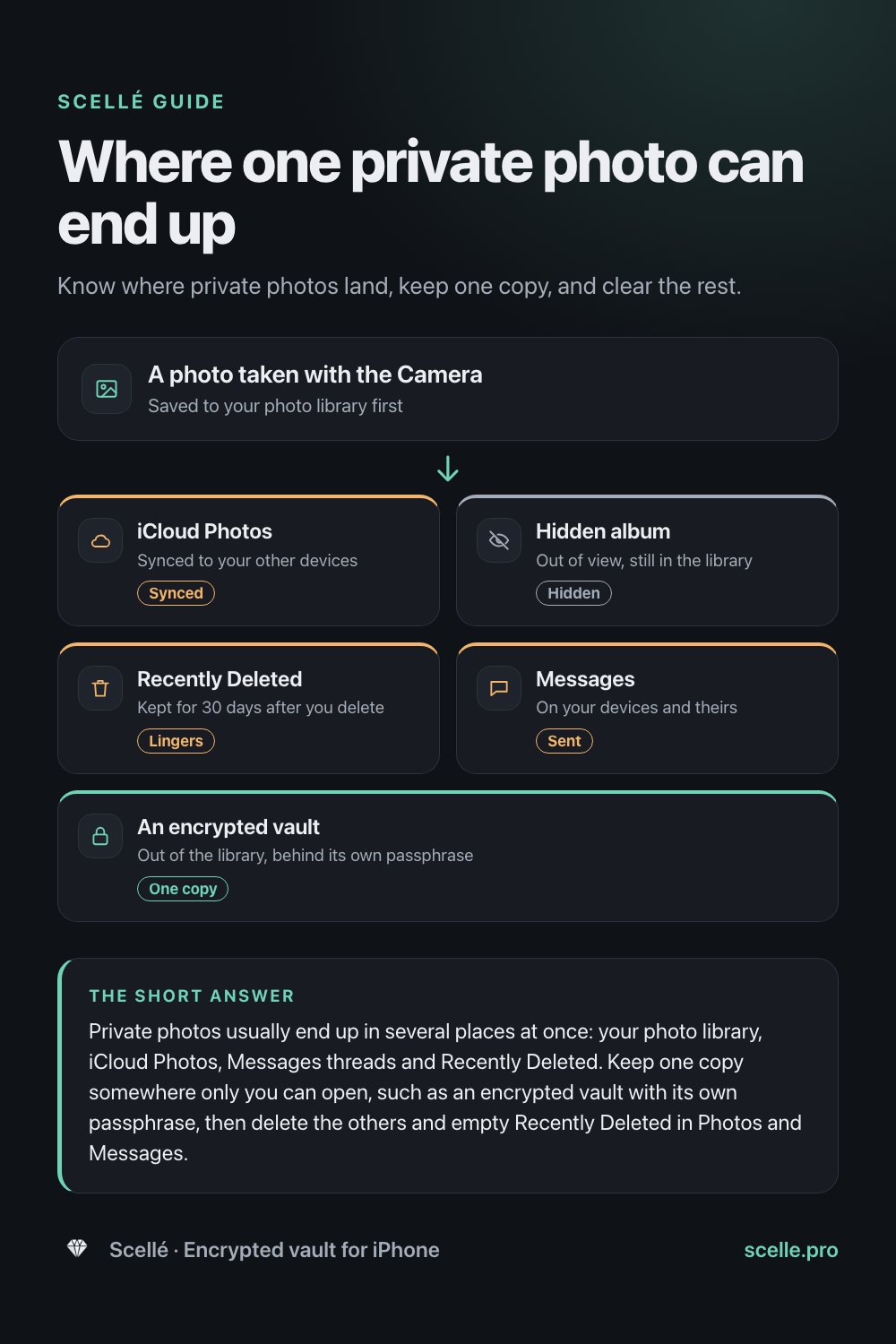
Private photos usually end up in several places at once: your photo library, iCloud Photos, Messages threads and Recently Deleted. Keep one copy somewhere only you can open, such as an encrypted vault with its own passphrase, then delete the others and empty Recently Deleted in Photos and Messages. If a photo is ever shared without your consent, StopNCII.org can help adults get it blocked on participating platforms.
Who this guide is for
Plenty of adults keep private photos of themselves, or photos a partner shared by choice. What catches people out is not the photo itself but how many copies an iPhone makes without asking: one in the library, one in iCloud, one in a Messages thread, one more in Recently Deleted.
This guide is about keeping your own consensual photos private. It covers where they end up, how to keep a single copy somewhere only you can open, what to know before you share one, and what to do if a photo is ever shared without your consent.
Where private photos end up
A photo taken with the Camera app goes to your photo library, and from there it can travel further. Here is where copies usually sit.
| Where the copy is | Who can reach it | Worth knowing |
|---|---|---|
| Photo library | Anyone who unlocks your phone and opens Photos | Apps with full access to your library can see it too |
| iCloud Photos | Every device signed in to your Apple Account with iCloud Photos on | A family iPad or shared Mac gets the same library |
| Hidden album | Anyone who can unlock the album with Face ID or Touch ID | Still part of the library, and it syncs |
| Recently Deleted | Anyone who can unlock that album | Deleted photos wait there for 30 days |
| Messages | You, the person you sent it to, and their devices | Deleted messages stay in Recently Deleted for up to 30 days |
| Shared albums | Everyone you invited | Each person can save their own copy |
Apple notes that the Hidden album keeps photos out of the library, other albums and even the Photos widget on your Home Screen, and that since iOS 16 the album is locked by default. That helps against a glance over your shoulder. But hidden photos are still in your photo library, so they sync with iCloud Photos, and an app you give full access can see them. Our guides on whether the Hidden album is private and where a hidden photo still goes cover this in detail.
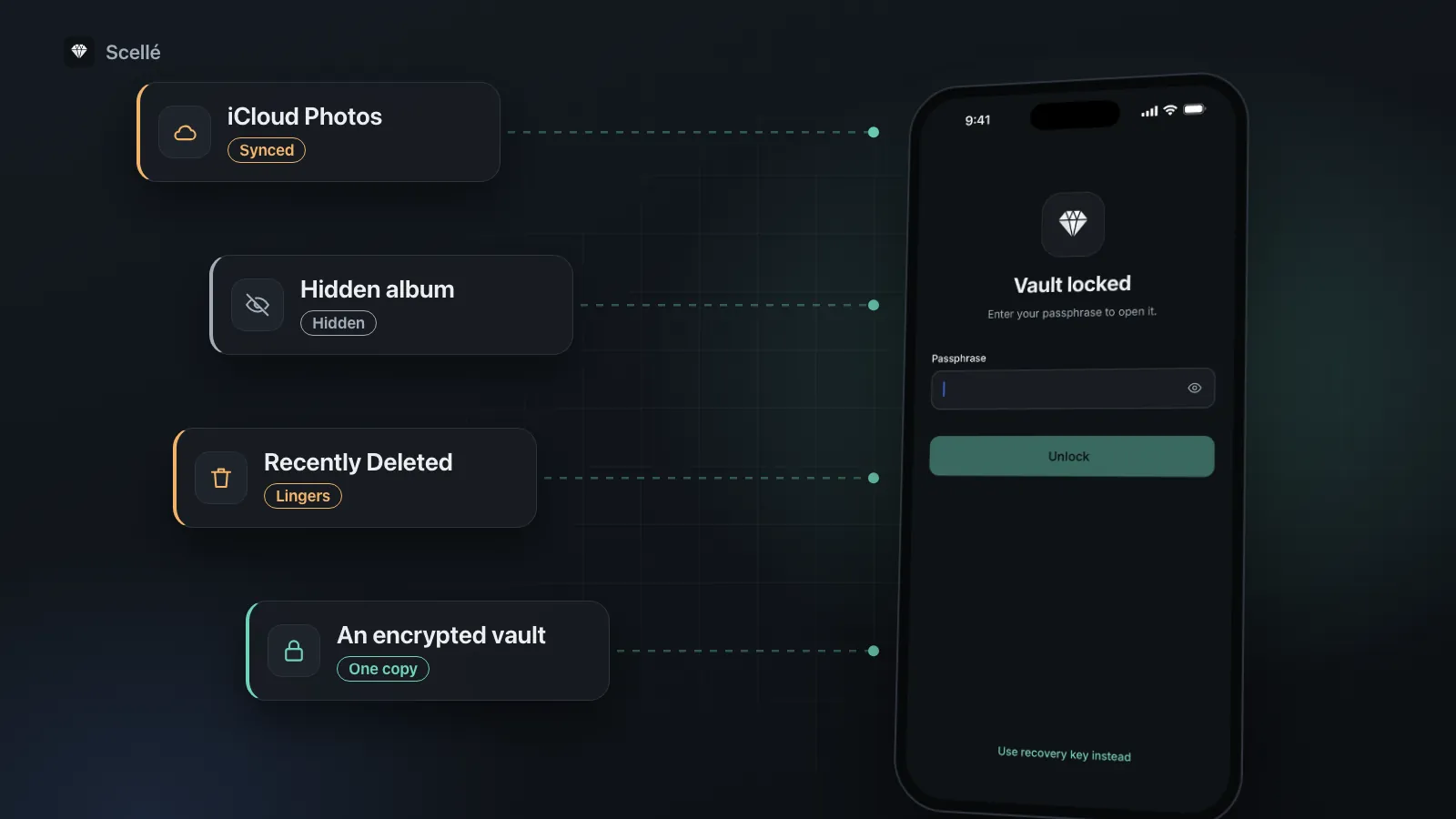
- iCloud PhotosSynced to your other devicesSynced
- Hidden albumOut of view, still in the libraryHidden
- Recently DeletedKept for 30 days after you deleteLingers
- MessagesOn your devices and theirsSent
- An encrypted vaultOut of the library, behind its own passphraseOne copy
The idea: one copy, behind its own lock
The simplest way to keep private photos private is to have exactly one copy, in a place with its own lock that is separate from your iPhone passcode. Think of a locked drawer in a house other people visit. A partner or friend might know the phone's passcode or borrow it to look at holiday pictures. None of that should open the drawer.
An encrypted vault app is built for this. The photo leaves your library, so it no longer syncs to iCloud Photos or appears in Memories, and the vault opens only with its own passphrase. Before you choose one, check that it really encrypts the files rather than just hiding them behind a PIN screen.
How to move private photos into a vault and clear the copies
Do this in one sitting. The steps use Scellé, but the order works with any vault.
- In the vault, make a folder for these photos so they are easy to check afterward.
- Add the photos from your library with Remove from Photos after adding turned on. iOS asks you to confirm the deletion.
- Open a few of them in the vault, and play any videos, to make sure they arrived complete.
- In Photos, tap Collections, then Recently Deleted under Utilities. Unlock it, select the photos and delete them for good.
- In Messages, open each conversation where you sent or received these photos, tap the contact or group icon at the top, then tap Photos. Tap Edit, tap Select, choose the photos and delete them.
- In the Messages conversation list, open Recently Deleted and permanently remove those messages. Apple notes this can't be undone.
- Check your other devices and any shared albums, and remove copies there too.
For more detail on each place copies hide, including photos synced from a computer, see how to move photos to a vault and remove every copy.
Before you share a private photo
Sharing is your decision. Know what happens once you tap Send.
- The copy you send is theirs. Apple says deleting messages and attachments only affects your own devices. You can't delete them for anyone else.
- Undo Send is short. Apple's Undo Send retracts a message from both phones, but only within 2 minutes.
- Their devices are part of it. The photo lives on whatever phone, computer and backups the other person uses, with whatever passcode they chose.
Apple's sensitive content protections
iOS has two related features. Sensitive Content Warning is for adults and is off until you turn it on in Settings > Privacy & Security > Sensitive Content Warning. When a photo or video you receive appears to contain nudity, it blurs the image, shows a warning and offers ways to get help. Apple says it works in Messages, AirDrop, FaceTime video messages and Contact Posters.
Communication Safety is for children in a Family Sharing group, and Apple says it is on by default for children under 18 on current software. It warns, blurs sensitive content and offers resources before a child can view or send it. Apple says the analysis happens on the device, so Apple doesn't receive an indication that anything was found and doesn't get access to the photos.
Worth knowing
Sensitive Content Warning only acts on photos and videos you receive. It does not stop you sending a photo, and it is not a way to protect the photos you keep.
If a photo is shared without your consent
If someone posts or threatens to post an intimate photo of you, it is not your fault, and there are tools built for exactly this. Keep a record of what you saw, such as links, usernames and messages, before anything is taken down.
If you were 18 or older in the photo
StopNCII.org is for adults who are in the image, were 18 or older when it was taken, are over 18 now, and still have a copy. You select the photo or video on your device, and the site creates a hash, a digital fingerprint, on the device. Only the hash is sent; the image stays with you. Participating platforms look for matches and remove ones that break their rules. StopNCII says it cannot remove images from the whole internet, only from its partner platforms, and that you must keep your case number and PIN, because they can't be recovered.
If you were under 18 in the photo
NCMEC's Take It Down is for images taken when the person was under 18. It works the same way: it assigns a hash to the image on your device, the image is not uploaded, and participating public or unencrypted platforms use the hash to find copies. It notes that platforms may have limited ability to remove content that was posted in the past.
You may also want to report the account to the platform it is on, and speak to local police or a lawyer about your options.
How Scellé keeps private photos private
Scellé is an encrypted vault for iPhone. These are the parts that matter for private photos, checked against the app's code.
Encrypted before it is saved. Each photo is encrypted on the phone with its own key, including its name and date. The grid previews are encrypted too. There is no account, no server and no upload, and the vault is kept out of iCloud backups.
Its own lock. The vault opens with a passphrase that is separate from your iPhone passcode, with optional Face ID. It can lock the moment you leave the app, and it is hidden in the app switcher. See lock protection.
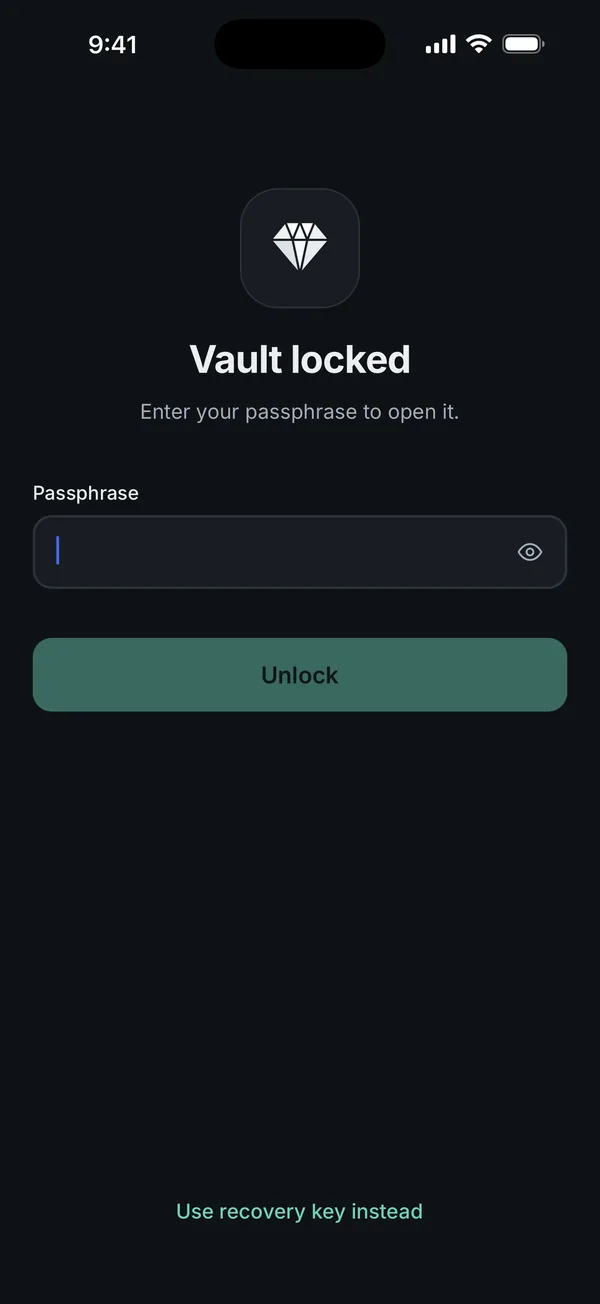
Camera straight in. Take photo and Record video save straight into the vault and never touch your photo library, so there is nothing for iCloud Photos to pick up and nothing to clean later.
No screenshots. Screenshots and screen recordings of Scellé come out black. This is on by default.
A plain icon, if you want one. You can make the home-screen icon look like a calculator, notepad, weather or checklist app. The name under it still says Scellé.
What it does not do: it can't pull back a photo you already sent, and it doesn't reach copies in old backups. Deleting a file in Scellé removes it for good, with no Recently Deleted. There is no sync, so if the phone is lost, so is the vault, unless you made an encrypted backup file. There is no reset if you forget the passphrase, so keep the recovery key somewhere safe. Scellé costs $1.49 a week or $49.99 once (US prices, local price shown in the app) and works on iPhone only.
Frequently asked questions
Is the Hidden album safe enough for private photos?
It keeps photos out of your library, other albums and the Photos widget, and since iOS 16 it is locked by default. But the photos stay in your photo library. They sync with iCloud Photos, and an app you give full access to your library can see them. It suits casual privacy, not photos you would hate anyone else to see.
If I delete a photo I sent, does it disappear for the other person?
No. Apple says deleting messages and attachments only affects your own iPhone and your Apple devices signed in to the same account. You can't delete them for anyone else. The one exception is Undo Send, which retracts a message from both phones if you use it within 2 minutes of sending.
What does Sensitive Content Warning do?
It is an optional setting for adults. When it is on and a photo or video you receive appears to contain nudity, iOS blurs it, shows a warning and offers ways to get help. It works in Messages, AirDrop, FaceTime video messages and Contact Posters. Turn it on in Settings > Privacy & Security > Sensitive Content Warning.
Does Apple see my photos when it checks for sensitive content?
Apple says Communication Safety analyzes photos and videos on the device with machine learning, so Apple doesn't receive an indication that sensitive content was found and doesn't get access to the photos. Apple describes Sensitive Content Warning, the adult version, as using the same privacy-preserving technology.
What should I do if someone threatens to share my photos?
Don't pay or send more images. Keep a record of the messages and the account. If you were 18 or older when the photo was taken, StopNCII.org lets you create hashes of it on your own device so participating platforms can block it. You may also want to report the account to the platform and speak to local police.
What if the photo was taken when I was under 18?
Use NCMEC's Take It Down instead of StopNCII. It is for images taken when the person in them was under 18. It assigns a digital fingerprint, called a hash, to the image on your device; the image itself is not uploaded. Participating public or unencrypted platforms can then use the hash to find and remove copies.
Summary
- Private photos tend to exist in several places at once: the library, iCloud, Messages and Recently Deleted.
- Keep one copy behind its own lock, then delete the rest and empty Recently Deleted in Photos and Messages.
- Once a photo is sent, the other person's copy is out of your hands.
- If a photo is shared without consent, StopNCII.org helps adults and Take It Down covers images taken under 18.
Sources
- Apple Support: Hide photos on your iPhone, iPad, Mac, or Apple Vision Pro with the Hidden album
- iPhone User Guide: Delete messages and attachments in Messages
- Apple Personal Safety User Guide: Sensitive image and video warnings
- Apple Support: About Communication Safety on your child's Apple device
- StopNCII.org: How it works
- NCMEC: Take It Down